What Is ChatOps? Examples, Tools and How It Works (2026)

Quick answer: ChatOps is a way of running operations from a team chat tool such as Slack or Microsoft Teams. Instead of switching between dashboards, terminals and ticketing systems, engineers trigger actions, receive alerts and coordinate work in shared chat channels, through bots and integrations connected to their tools. Everyone sees the same information, every action is recorded in the conversation, and in incident response the chat becomes both the war room and the record of what happened.
During an incident, the slowest part is rarely the fix. It's the time lost between tools: an alert in one place, the on-call schedule in another, the dashboard in a third, and the conversation in a fourth, where half the team is asking what the other half already knows.
ChatOps closes those gaps by bringing alerts, actions and people into the channel the team already watches. The idea isn't new; GitHub popularized it more than a decade ago with its Hubot chat bot. What has changed is the tooling around it: today's incident management platforms can open a channel per incident, page the right engineer, and turn the conversation into a timeline automatically.
This guide explains what ChatOps is and how it works, shows real examples, covers ChatOps for incident management in depth, compares the main tools, and ends with how to implement it securely.
What is ChatOps?
ChatOps is the practice of managing operations work through a chat platform, by connecting people, tools and automation in shared conversations. Managing DevOps tasks through chat, such as deploying code, checking a service or handling an incident, is what the term "ChatOps" describes.
The word combines chat and operations. It's usually credited to GitHub, which built an internal chat bot called Hubot, released it as open source in 2011, and described the practice publicly in Jesse Newland's 2013 talk "ChatOps at GitHub". GitHub engineers deployed code, queried systems and handled incidents by typing commands to Hubot in shared chat rooms, so colleagues could see and learn from every action.
Three ideas define ChatOps:
Idea | What it means | Why it matters |
|---|---|---|
Work happens in the open | Actions are run in shared channels, not private terminals | Others learn by watching, and anyone can see what's been done |
Tools come to the conversation | Alerts, data and actions are available inside the chat | Less switching between tools, faster decisions |
The conversation is the record | Every message, command and result is kept with a timestamp | A built-in history for handovers, audits and postmortems |
ChatOps isn't simply "using Slack at work". A team that discusses an outage in a channel but runs every action elsewhere is chatting about operations. ChatOps begins when the alerts arrive in the channel and the actions can be taken there.
How does ChatOps work?
Every ChatOps setup has the same four building blocks:
Component | Role | Examples |
|---|---|---|
Chat platform | Where people and messages meet | Slack, Microsoft Teams |
Bot or app | Listens for commands and button clicks, and posts messages | A custom bot built on Hubot or Errbot, or an app supplied by a tool vendor |
Integrations | Connect the bot to the systems it acts on | Monitoring, CI/CD, cloud consoles, ticketing, on-call and incident tools |
Permissions and audit | Decide who can run what, and record it | Channel restrictions, role checks, approval steps, logs |
A typical interaction runs like this:
Something happens. A monitoring tool raises an alert, a deploy finishes or a person asks a question.
The bot posts it to the right channel, formatted so people can read it at a glance, with buttons for the likely next actions.
A person acts in the chat, by clicking a button or typing a command such as
/incident declare.The bot calls the tool behind it, for example acknowledging a page, restarting a service or opening a ticket.
The result comes back to the channel, so everyone sees what was done and whether it worked.
Everything is recorded: who asked for what, when, and what happened, which becomes the history of the work.
The last step is easy to overlook and is one of the main reasons teams adopt ChatOps. A dashboard shows the current state; a ChatOps channel shows how the team got there.
What are some ChatOps examples?
Common ChatOps examples include acknowledging an alert from a chat message, declaring an incident with a slash command, deploying or rolling back code, checking a service's status, running a runbook step, creating a ticket and updating the status page, all without leaving the channel. The examples below are written in a generic form; the exact commands depend on the bot or tool you use.
1. Acknowledging an alert from the channel
An alert arrives in the owning team's channel with the context and buttons needed to act on it.
🔴 [P1] checkout-api: error rate 7.8% (threshold 2%)
   Service owner: Payments · On call: Priya
   [Acknowledge] [Escalate] [Open dashboard]
Priya clicked Acknowledge · 02:14
2. Declaring an incident
A slash command declares the incident, sets the severity and opens a dedicated channel.
/incident declare sev2 "Checkout failing for some users"
Bot: Incident #482 declared (SEV2). Channel #inc-482-checkout created.
     Incident commander: Marco · Responders paged: payments-oncall
3. Deploying or rolling back
Deploys run from chat, so the whole team sees what changed and when.
/deploy rollback checkout-api to v2.40
Bot: Rollback requested by Priya. Approval needed from #payments-leads.
Marco approved · Rollback complete in 2m 14s · Error rate 0.3%
4. Checking the state of a service
Instead of opening a dashboard, an engineer asks the bot.
/status orders-db
Bot: orders-db · connections 198/200 · p95 latency 840 ms · last deploy 13:52
5. Running a runbook step
An alert offers the documented fix as a button, with a confirmation before anything changes.
⚠️ queue-workers: backlog 42,000 messages
   Runbook: Queue backlog → [Scale workers to 12]
Priya clicked Scale workers · Confirmed · Backlog falling
6. Creating a ticket from an alert
Follow-up work goes straight into the backlog, linked to the incident.
Bot: Jira ticket PAY-1934 created from incident #482 · Assigned: Payments7. Updating stakeholders and the status page
The communications lead posts a customer-facing update without leaving the incident channel.
/statuspage update investigating "Some customers can't complete checkout. Next update 14:45."
Bot: Status page updated · Subscribers notified
8. Kubernetes ChatOps
Platform teams use chat bots, such as Botkube, to see cluster events and run approved, read-only commands from a channel.
@bot kubectl get pods -n checkout
Bot: checkout-api-7d9f… CrashLoopBackOff (5 restarts)
How is ChatOps used in incident management?
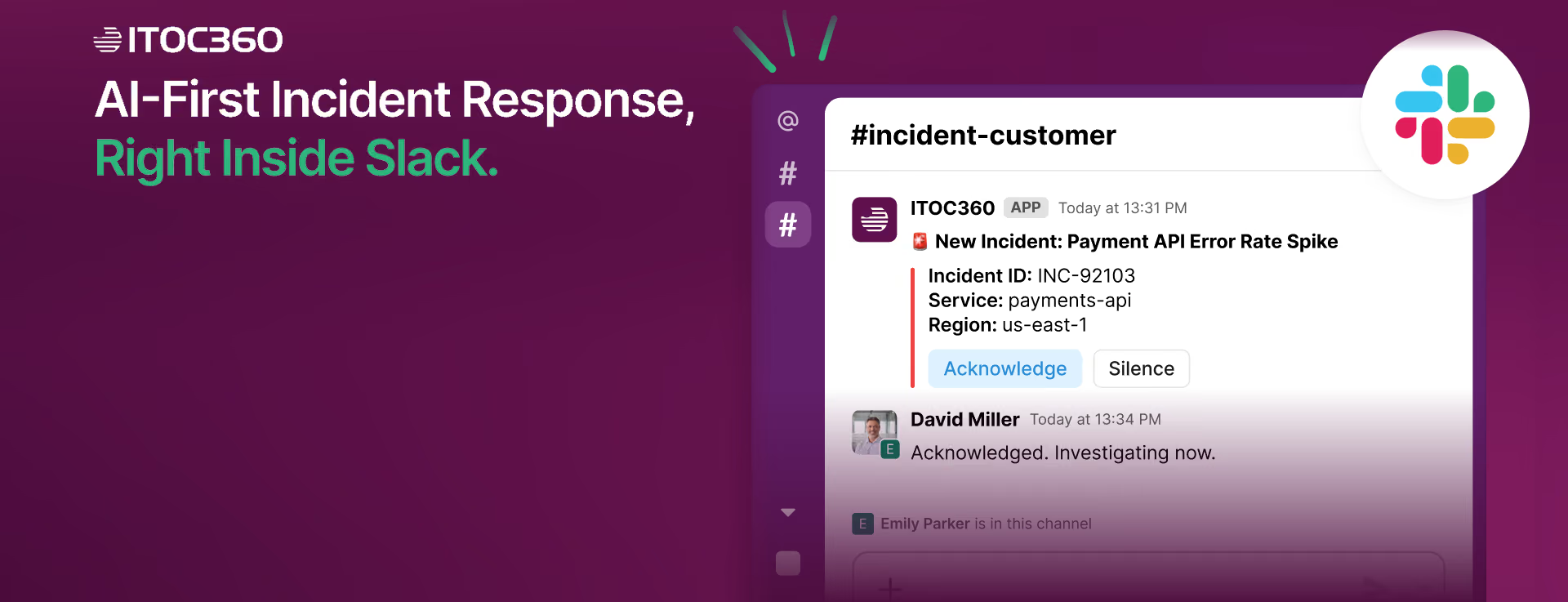
Incident response is where ChatOps pays off most, because an incident is exactly the situation where many people need the same information at the same time, and every minute spent switching tools adds to the outage.
How an incident runs in chat
Stage | What happens in chat |
|---|---|
Detect | The alert arrives in the owning team's channel, routed by service and severity, with context instead of a raw payload |
Acknowledge | The on-call engineer acknowledges from the message; if nobody does, the alert escalates beyond chat |
Declare | A slash command declares the incident and sets its severity; a dedicated channel is opened automatically |
Coordinate | Responders are paged into the channel; roles such as the incident commander are assigned there |
Mitigate | Runbook steps, rollbacks and tickets are triggered from the channel, with results posted back |
Communicate | Stakeholder messages and status page updates are posted from the channel |
Resolve and review | The incident is resolved in chat; the channel's messages and actions become the incident timeline for the postmortem |
Each stage follows the wider incident management process; ChatOps changes where the work happens, not what the steps are.
One channel per incident
A dedicated channel for each incident keeps the conversation focused and gives late joiners one place to catch up. Name channels consistently, for example #inc-482-checkout, and archive them when the incident closes, so they remain searchable.
Chat is not a pager
A chat message is easy to miss at 3 a.m. Treat chat as the first, low-friction step of an escalation policy, not the whole of it: if nobody acknowledges within a few minutes, the alert should escalate to a push notification, SMS and finally a phone call.
The conversation becomes the timeline
The biggest hidden cost of running incidents in chat is reconstructing what happened afterwards from hundreds of messages. When every message, acknowledgment, escalation and action is captured with a timestamp automatically, the incident timeline is ready when the incident closes, and the postmortem starts from facts instead of scrollback.
What are the benefits of ChatOps?
The main benefits of ChatOps are less switching between tools, faster and more visible collaboration, a built-in record of every action, and knowledge that spreads across the team instead of staying with a few experts.
Benefit | What changes |
|---|---|
Less context switching | Alerts, data and actions are in one place during the moments that matter most |
Shared situational awareness | Everyone in the channel sees the same alert, the same decisions and the same results |
A built-in record | Every command and its outcome is kept, which helps handovers, audits and postmortems |
Learning by watching | Newer engineers see how experienced colleagues diagnose and fix problems |
Faster response | Acknowledging, escalating and running a fix take a click, not a login to another system |
What are the challenges of ChatOps?
Challenge | What it looks like | How to handle it |
|---|---|---|
Noise | Busy channels where alerts and chatter bury what matters | Route alerts by service and severity; use one channel per incident |
Missed messages | A critical alert sits unread in a channel at night | Escalate beyond chat if nobody acknowledges |
Security | A bot with broad permissions can do damage if misused | Least privilege, approvals for risky commands, full audit logs |
Scattered records | Decisions lost in long threads | Capture actions and key messages into an incident timeline automatically |
Bot sprawl | Several bots, each with its own commands | Consolidate around a few well-documented integrations |
How is ChatOps different from DevOps and AIOps?
How is ChatOps related to DevOps? DevOps is the culture of shared ownership between development and operations; ChatOps is one practical way to live it, by putting the work of both groups into shared, visible conversations. AIOps is different again: it uses machine learning to make sense of operations data, and its results are often delivered into chat.
ChatOps | DevOps | AIOps | |
|---|---|---|---|
What it is | Running operations through chat | Culture and practices for delivering software | AI applied to operations data |
Main idea | Bring tools and people into one conversation | Shared ownership from code to production | Find, group and explain problems automatically |
Typical output | Actions taken and recorded in a channel | Frequent, safe releases | Correlated incidents, likely causes, suggestions |
How they connect | Where people see and act on DevOps and AIOps output | The culture ChatOps supports | Insights that ChatOps puts in front of people |
The three work together naturally. AIOps groups fifty alerts into one incident and suggests a cause; ChatOps posts that incident to the right channel with buttons to act on it; DevOps culture means the team that built the service is the one in the channel. More on the first in our guide to AIOps, and on the last in SRE vs DevOps.
What are the best ChatOps tools?
The best ChatOps tool depends on what you want to run from chat. Bot frameworks such as Hubot and Errbot suit teams that want to build custom commands; GitLab and cloud providers offer ChatOps for their own platforms; and incident management platforms such as ITOC360 bring alerting, on-call escalation and incident response into Slack and Microsoft Teams without custom code.
Category | What it's for | Examples |
|---|---|---|
Chat platforms | Where the conversation happens | Slack, Microsoft Teams, Google Chat, Mattermost (open source, self-hosted) |
Bot frameworks | Building your own commands and automations | Hubot, Errbot, StackStorm |
Incident management platforms | Alerts, on-call, escalation and incident response in chat | ITOC360, PagerDuty, incident.io, Rootly |
DevOps platforms | Running pipeline jobs and deployments from chat | GitLab ChatOps, GitHub integrations for Slack and Teams |
Cloud providers | Cloud notifications and commands in chat | Amazon Q Developer in chat applications (formerly AWS Chatbot) |
Kubernetes | Cluster events and commands in chat | Botkube |
Network automation | Network operations from chat | Nautobot ChatOps |
Which ChatOps tool fits which need
If you want to… | Look at |
|---|---|
Build custom commands for your own internal tools | Hubot, Errbot or StackStorm |
Run GitLab pipelines and deployments from chat | GitLab ChatOps |
Get AWS notifications and run AWS commands in chat | Amazon Q Developer in chat applications |
Run incident response in Slack or Microsoft Teams, with a channel per incident, acknowledgment and escalation from chat, status page updates and an automatic timeline, backed by phone and SMS escalation | ITOC360 |
Run incident response mainly inside Slack, with a Slack-first workflow | incident.io, Rootly |
Microsoft Teams deserves a mention on its own: many incident tools are built Slack-first and treat Teams as an afterthought. If your organization runs on Teams, check that a tool supports the same incident actions in both.
How do you implement ChatOps?
Start small: bring alerts into chat with clear routing, then add actions one at a time, with permissions and audit logs from day one.
Pick the workflows that hurt most. Usually incident response and deployments. Don't try to move everything into chat at once.
Design the channels. One channel per team or service for alerts, one channel per incident, and a separate channel for low-priority notifications, so important ones aren't buried.
Route alerts by owner and severity. Each alert should reach the team that owns the service, with a readable summary instead of a raw payload.
Add the first actions. Acknowledge, escalate and resolve from the message, then declare an incident with a command.
Connect the tools people need during incidents, such as dashboards, runbooks, ticketing and the status page.
Set up escalation beyond chat, so an unacknowledged alert reaches a phone.
Record everything into an incident timeline, and review it in postmortems.
Review and prune channels, commands and bots every quarter.
ChatOps security best practices
A chat bot that can restart services or deploy code is a powerful tool, and a target. Treat it like any other privileged system:
Least privilege. Give the bot only the permissions each command needs, and limit it to the channels where it's used.
Who can run what. Check the user's role before running sensitive commands, not just whether they're in the channel.
Approvals for risky actions. Deploys, rollbacks and anything destructive should need a second person to confirm.
No secrets in chat. Never post passwords, tokens or customer data; mask them in bot output.
Audit everything. Log every command, who ran it, its parameters and the result, outside the chat platform as well as inside it.
Use official apps and OAuth scopes rather than shared tokens, and review the scopes each integration requests.
How does ITOC360 do ChatOps?
ITOC360 is an on-call, alerting, incident response and incident management platform that runs incident response inside Slack and Microsoft Teams. It opens a channel for each incident, lets responders declare, acknowledge, escalate and resolve incidents from chat, updates the status page from the channel, and turns every message and action into the incident timeline automatically.
Capability | |
|---|---|
Platforms | Full ChatOps in Slack and Microsoft Teams; alert notifications also to WhatsApp and Telegram |
Alert routing | Alerts go to the channel that owns them, by service, team or severity, with templates that show a readable summary |
Incident channels | A dedicated channel is opened automatically for each incident |
Declare from chat | A slash command declares an incident without leaving the conversation |
Act from the message | Acknowledge, escalate, reassign or resolve directly from the alert |
Actions | Create Jira or ServiceNow tickets and trigger runbooks through webhooks, AWS Lambda, Jenkins or GitHub Actions from buttons in the message |
Status page | Post status page updates from the incident channel |
Escalation beyond chat | If nobody acknowledges in chat, for example within five minutes, the alert escalates to push notification, SMS and voice call |
Automatic timeline | Messages, acknowledgments, escalation steps and actions are captured with timestamps into the incident timeline |
Security | Official Slack and Teams apps with granular OAuth scopes; the bot listens only in designated channels and doesn't read private messages. ITOC360 is certified to ISO 27001 |
When ITOC360 is a good fit
Good fit if you… | Something else may fit better if you… |
|---|---|
Run incidents in Slack, Microsoft Teams, or both | Want a bot framework to build custom commands for internal tools |
Want on-call, escalation and incident response in the same product as ChatOps | Only need cloud notifications from a single provider |
Need chat to be the first step, with phone and SMS escalation behind it | Already run all incident response in another platform and only need a chat bot |
Want the postmortem timeline built from the conversation automatically | Use a chat platform other than Slack or Microsoft Teams for incident work |
Frequently asked questions
What is ChatOps?
ChatOps is the practice of running operations through a team chat platform such as Slack or Microsoft Teams, where alerts, tools and automation are connected to shared channels so people can see and act on them together.
What is managing DevOps via chat called?
It's called ChatOps: running DevOps work such as deployments, monitoring and incident response through chat, using bots and integrations.
What is an example of ChatOps?
An engineer types /deploy rollback checkout-api to v2.40 in a Slack channel; a bot asks a lead to approve, runs the rollback and posts the result, and the whole team sees what happened. Acknowledging an alert or declaring an incident from a chat message are other common examples.
Which activities can be automated through ChatOps?
Common ones include acknowledging and escalating alerts, declaring incidents, opening incident channels, running runbook steps, deploying and rolling back code, checking service status, creating tickets and updating status pages.
What is the difference between ChatOps and DevOps?
DevOps is a culture of shared ownership between development and operations. ChatOps is a practice that supports it by putting operations work into shared, visible chat conversations.
What are the best ChatOps tools?
It depends on the goal: Hubot, Errbot or StackStorm for custom bots; GitLab ChatOps for pipelines; Amazon Q Developer in chat applications for AWS; and incident management platforms such as ITOC360, PagerDuty and incident.io for incident response in chat.
Can you use Microsoft Teams for incident management?
Yes. With an incident management integration, Microsoft Teams can receive alerts, host a channel per incident, and let responders acknowledge, escalate and resolve incidents from chat. ITOC360 supports the same incident actions in Microsoft Teams as in Slack.
Is ChatOps secure?
It can be, if the bot follows least privilege, sensitive commands require role checks and approvals, secrets are never posted in chat, and every action is logged.
Does ChatOps replace on-call paging?
No. Chat messages are easy to miss, especially at night. Chat works best as the first step of an escalation policy, with push notifications, SMS and phone calls if nobody acknowledges.
Sources
Hubot (GitHub's open-source chat bot)
Amazon Q Developer in chat applications (formerly AWS Chatbot)