12 Best PagerDuty Alternatives & Competitors in 2026
Short answer: The best PagerDuty alternatives in 2026 are ITOC360 (AI-driven alert correlation and full lifecycle orchestration), incident.io (Slack-native coordination), Rootly (opinionated workflow automation), FireHydrant (service catalog and compliance), Better Stack (bundled monitoring for small teams), and Grafana Cloud IRM (Grafana-centric stacks). Teams migrating off Opsgenie should shortlist ITOC360, incident.io or Rootly. Teams that only need paging and are happy with their spend should stay on PagerDuty.
PagerDuty has been the default choice for on-call alerting since 2009, but the incident management landscape looks very different in 2026. Engineering teams now expect more than alert dispatch — they want alert correlation, chat-native workflows, and coverage of the entire lifecycle from detection to post-incident review. At the same time, Atlassian's wind-down of Opsgenie has pushed an entire cohort of teams back into the market who were not planning to shop at all.
This guide covers 12 alternatives, what each one is genuinely good at, and — more usefully — where each one is the wrong choice.
Disclosure: ITOC360 is our product. It appears in this list and we say so explicitly in its section. We have also named the situations where a competitor is the better fit, because a comparison that always ends in our favour is not a comparison.
How we evaluated these tools
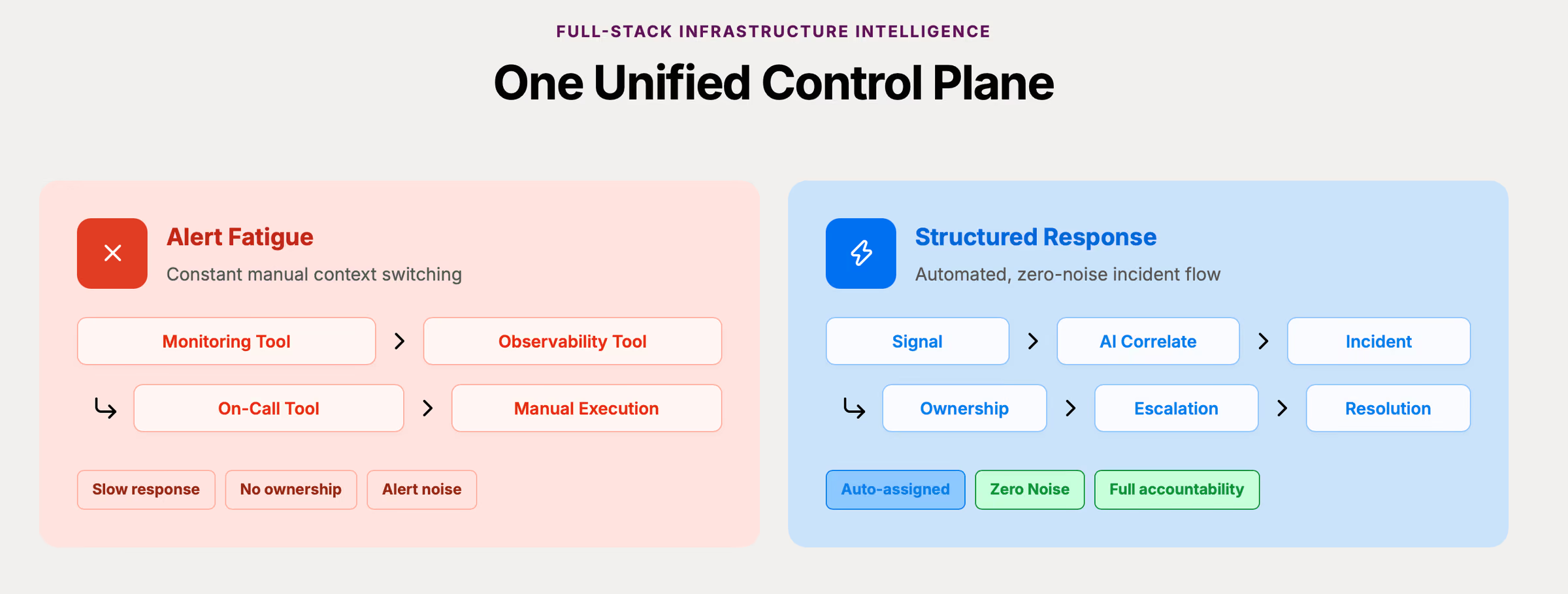
Each tool was assessed against the same six criteria, in this order of weight:
Alert correlation and noise reduction — does the platform reduce the number of pages a human sees, or just forward them faster?
Lifecycle coverage — detection, triage, response, resolution, and post-incident review, or does it stop at alerting?
On-call depth— follow-the-sun rotations, overrides, multi-stage escalation policies with automatic fallback
Alert delivery channels — voice, SMS, push, Slack, Microsoft Teams
Pricing model and how it scales — per-user versus flat, and what sits behind an upgrade wall
Usability under pressure — clicks and context switches required at 2 a.m.
PagerDuty alternatives at a glance
Tool | Best for | Entry pricing | Alert correlation | Full lifecycle | Voice + SMS |
|---|---|---|---|---|---|
ITOC360 | Complex stacks, NOC and SRE teams | Free option and $12/user/mo (no add-on) | ML-based, built in | Yes | Yes |
incident.io | Slack-first coordination | $19/user/mo | Basic grouping | Yes | Limited |
Rootly | Standardised, repeatable process | $20+ $20 (on-call and incident management | Basic grouping | Yes | Limited |
FireHydrant | Service catalog and compliance | $25/user/mo | Basic grouping | Yes | Limited |
Better Stack | Small teams wanting one bill | $29+ $29 (on-call and incident management | No | Partial | Yes |
Grafana Cloud IRM | Existing Grafana stacks | Free tier available | Via Grafana alerting | No | Yes |
Squadcast | Budget-conscious on-call | Book a demo | Basic grouping | Partial | Yes |
xMatters | Large enterprise, ITSM-heavy | $15/user/mo and add-ons | Yes | Partial | Yes |
Splunk On-Call | Existing Splunk observability | Book a demo | Yes | Partial | Yes |
AlertOps | Complex enterprise routing rules | $10/user/mo and add-ons | Yes | Partial | Yes |
Opsgenie | Nothing — plan your exit | Winding down | Basic | No | Yes |
GoAlert / Keep | Self-hosted, engineering-heavy teams | Free, open source | Varies | No | Varies |
Each tool makes different trade-offs. The sections below unpack them.
Why teams look for a PagerDuty competitor in 2026
PagerDuty pioneered digital operations alerting and became the standard for on-call scheduling and escalation. But four pressures are driving evaluations:
Per-user pricing compounds. PagerDuty's Business plan is listed at $41 user/month, with Enterprise tiers above that. For a 30-person rotation that is over $1,200/month before status pages or event intelligence are added. Teams that grew their rotation faster than their budget feel this first. Check out our article where we take a detailed look at PagerDuty's 2026 pricing.
Configuration complexity outpaces the team. PagerDuty supports a very large integration catalog and sophisticated event orchestration, but configuring it properly is a project. Smaller teams routinely pay for capability they never turn on.
Alert fatigue persists. Even with event intelligence enabled, responders still report being paged repeatedly for the same underlying failure. The fix is correlation at ingest, not faster dispatch — and that is where the newer platforms differentiate. If this is your main pain point, our guide to automated incident management covers the mechanics.
Fragmented toolchains. Alerting in one tool, status pages in another, retrospectives in a doc, communication in Slack. The gap between an alert and a managed incident is where minutes are lost — and time to declare is usually the largest and most fixable segment of an incident timeline. We cover why in MTTR, MTTA, MTBF and MTTD explained.
The Opsgenie factor: why the market is moving right now
The single biggest driver of PagerDuty alternative searches in 2026 is not PagerDuty at all — it is Atlassian's decision to wind down Opsgenie.
Opsgenie was the natural budget alternative to PagerDuty for a decade, especially inside Atlassian shops. Its wind-down puts a large population of teams into a forced migration with a deadline, and most of them are evaluating PagerDuty and its competitors side by side for the first time in years.
If you are in that group, three things matter more than feature checklists:
Migration path for schedules and escalation policies. Rebuilding rotations by hand is where migrations stall. Ask every vendor whether they import Opsgenie schedules directly.
Integration parity with your monitoring stack. Check your actual alert sources against each vendor's integration catalog before shortlisting, not after.
Parallel-run capability. You should be able to run both tools against live alert volume for two weeks before cutover. If a vendor cannot support that, it is a red flag.
We wrote a dedicated guide for this: Opsgenie alternatives and migration guide.
How to evaluate PagerDuty alternatives
Not every competitor solves the same problem. Before you migrate anything, map the criteria to your actual pain:
Incident lifecycle coverage. Does the tool cover the entire incident response lifecycle — detection, triage, response, resolution, review — or does it stop at the page?
On-call scheduling and escalation. Follow-the-sun rotations, override handling, multi-stage escalation with automatic fallback. Our on-call management guide covers how to structure these before you shop.
Integrations. Coverage across monitoring (Datadog, Prometheus, Grafana, New Relic, Zabbix), collaboration (Slack, Microsoft Teams), and ITSM (Jira Service Management, ServiceNow, Freshservice).
Correlation and automation. Can it deduplicate and group related alerts before a human sees them? Does it support alert routing based on service ownership rather than rotation order alone?
Usability under pressure. Fewer clicks and less context switching during a 2 a.m. incident matters more than a polished marketing site. Test the mobile app and push notifications during the pilot, not after.
Pricing model. Compare free tiers, per-user scaling, and hidden costs: SMS, voice minutes, log retention, status page seats.
Measurable improvement. Ask every vendor for benchmarks on MTTA and MTTR, and hold them to your own baseline rather than their case studies.
Run parallel pilots with two or three tools for one to two weeks using real alert volume and real schedules. Then survey the engineers who actually carried the pager.
1. ITOC360 — AI-driven incident orchestration (our platform)
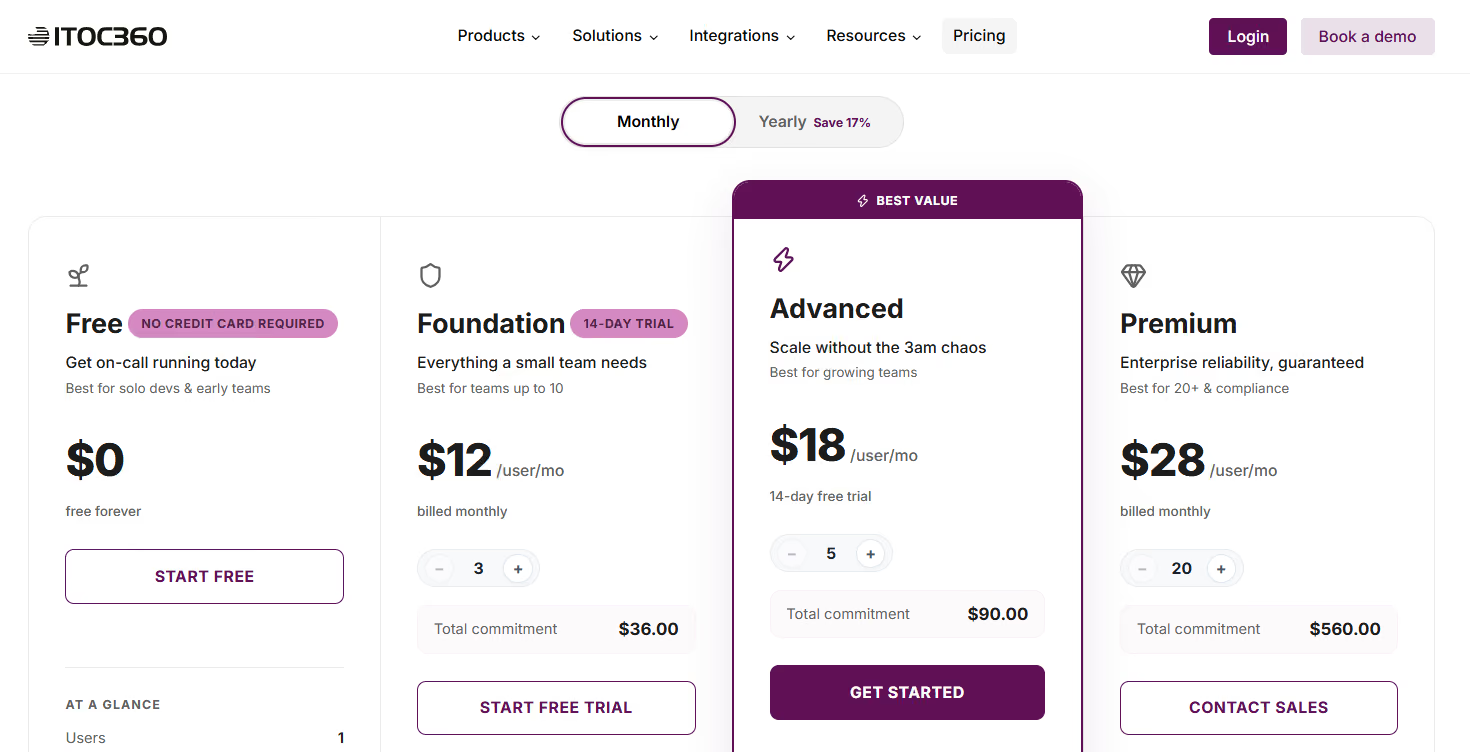
ITOC360 is AI-first incident orchestration platform, built for engineering and security teams running complex, always-on systems.
What it does differently:
Alert ingestion and correlation. ITOC360 collects alerts from 50+ sources — monitoring, ticketing, security platforms — and uses machine learning to group duplicate and related alerts into single incidents. Instead of fifteen notifications about one database failure, the on-call engineer gets one case.
Automated enrichment and routing. Each incident arrives with impacted services, a severity suggestion, and dependency context attached. Cases route by service ownership, not just who is next in the rotation.
Full lifecycle coverage. Detection through triage, collaboration, automated workflows and AI-assisted post-incident reviews — not an alerting tool with a retrospective form bolted on.
NOC automation. Unified view across infrastructure and security alerts, automated runbook triggering, real-time visibility into active incidents. Detail in our
NOC monitoring guide
Sits above your stack. Works with Datadog, Prometheus, Grafana, Zabbix and Splunk rather than replacing your observability layer.
Best for: Organisations with large-scale infrastructure, multiple alert sources, and dedicated DevOps, SRE or NOC teams.
Where it is not the right fit: If you run fewer than five incidents a month, have a single monitoring tool, and just need someone woken up, ITOC360 is more platform than you need — Better Stack or Squadcast will cost less and take an afternoon to set up. Correlation only pays off when there is noise to correlate. See our PagerDuty vs ITOC360 compare page.
Pricing: Free option and $12/user/mo
See ITOC360 pricing and start a free trial · On-call product overview · Incident response product overview
2. incident.io — Slack-native lifecycle management
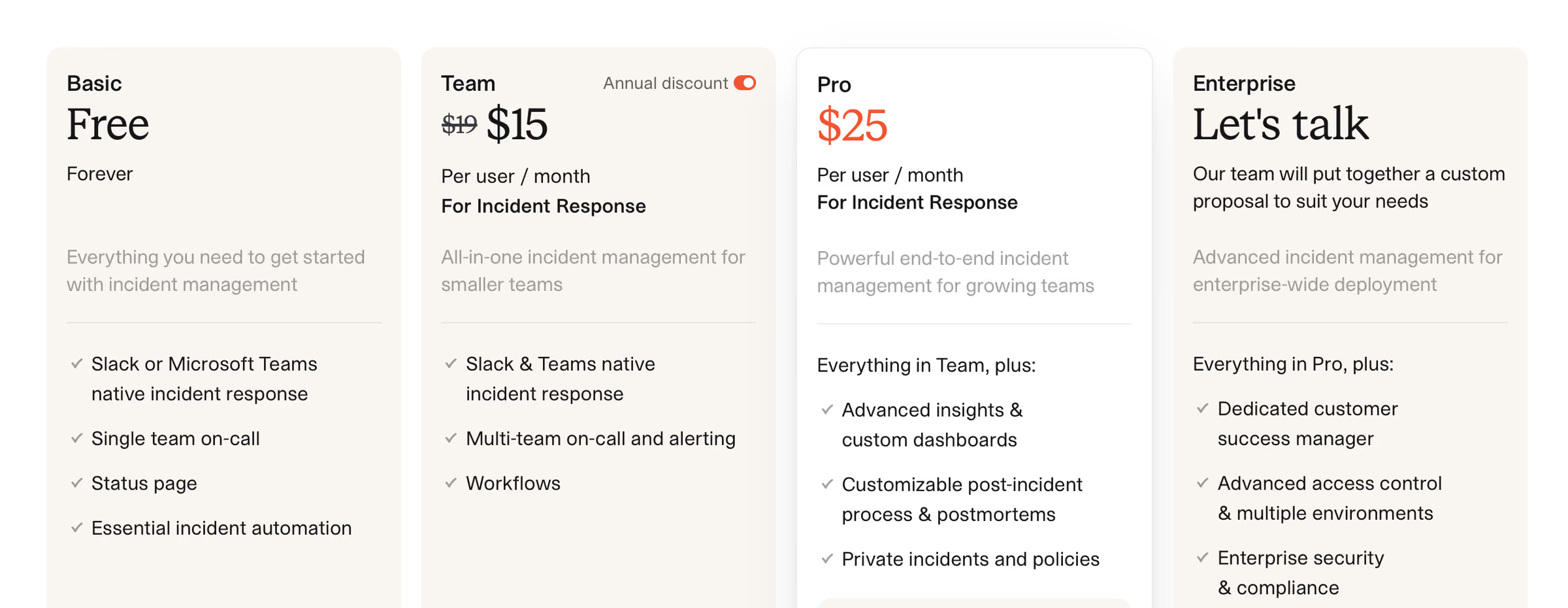
incident.io is the strongest option for teams that want to run the entire incident inside Slack.
Positioning: Declare incidents via slash command, coordinate in a dedicated channel, manage comms, track follow-ups and generate retrospectives without leaving chat. Timelines are captured automatically, which removes the scribe problem described in our incident commander guide.
Strengths:
Genuinely deep Slack integration — this is not a Slack notification bridge
Strong AI-assisted post-mortem drafting
Good fit for SaaS teams running 10+ incidents a month where coordination, not detection, is the bottleneck
Limitations:
Slack dependency means Microsoft Teams shops get a noticeably weaker experience
Per-user pricing gets expensive across a broad rotation
Lighter on multi-channel dispatch (voice, SMS) and NOC-style operations
Verdict: If your incidents are mostly about coordinating humans across squads, incident.io is likely the better choice than ITOC360. If the problem is that eighty alerts fire before anyone knows which service broke, correlation matters more than chat.
3. Rootly — process standardisation and workflow automation
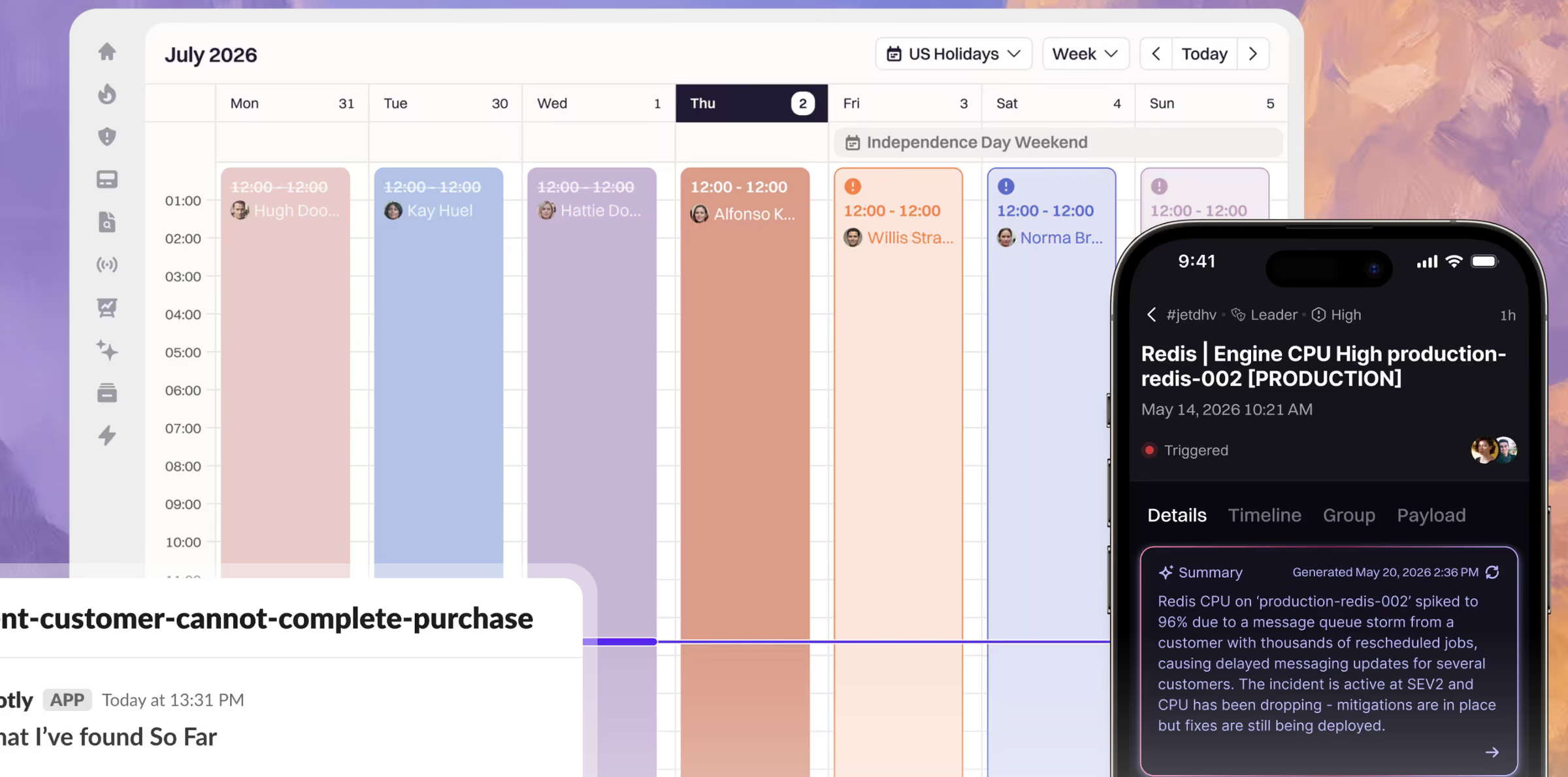
Rootly is Slack/Teams-first like incident.io, but more opinionated about enforcing a consistent process.
Strengths:
Deep runbook automation — log gathering, follow-up creation, and role assignment triggered by incident events
Built-in retrospectives rather than a separate documentation tool
Works across both Slack and Microsoft Teams, which incident.io does less well
Automated checklists that guide less experienced incident commanders
Limitations:
Still chat-dependent as the command surface, which limits voice/SMS-heavy rotations
Does not ingest raw metrics or logs — you keep your monitoring stack
Per-user pricing scales with headcount, same structural problem as PagerDuty
Verdict: Best fit for fast-growing B2B SaaS and fintech teams that have the volume to justify process discipline but not yet the maturity to enforce it by habit. See our incident management best practices for what that discipline looks like.
4. FireHydrant — service catalog and compliance
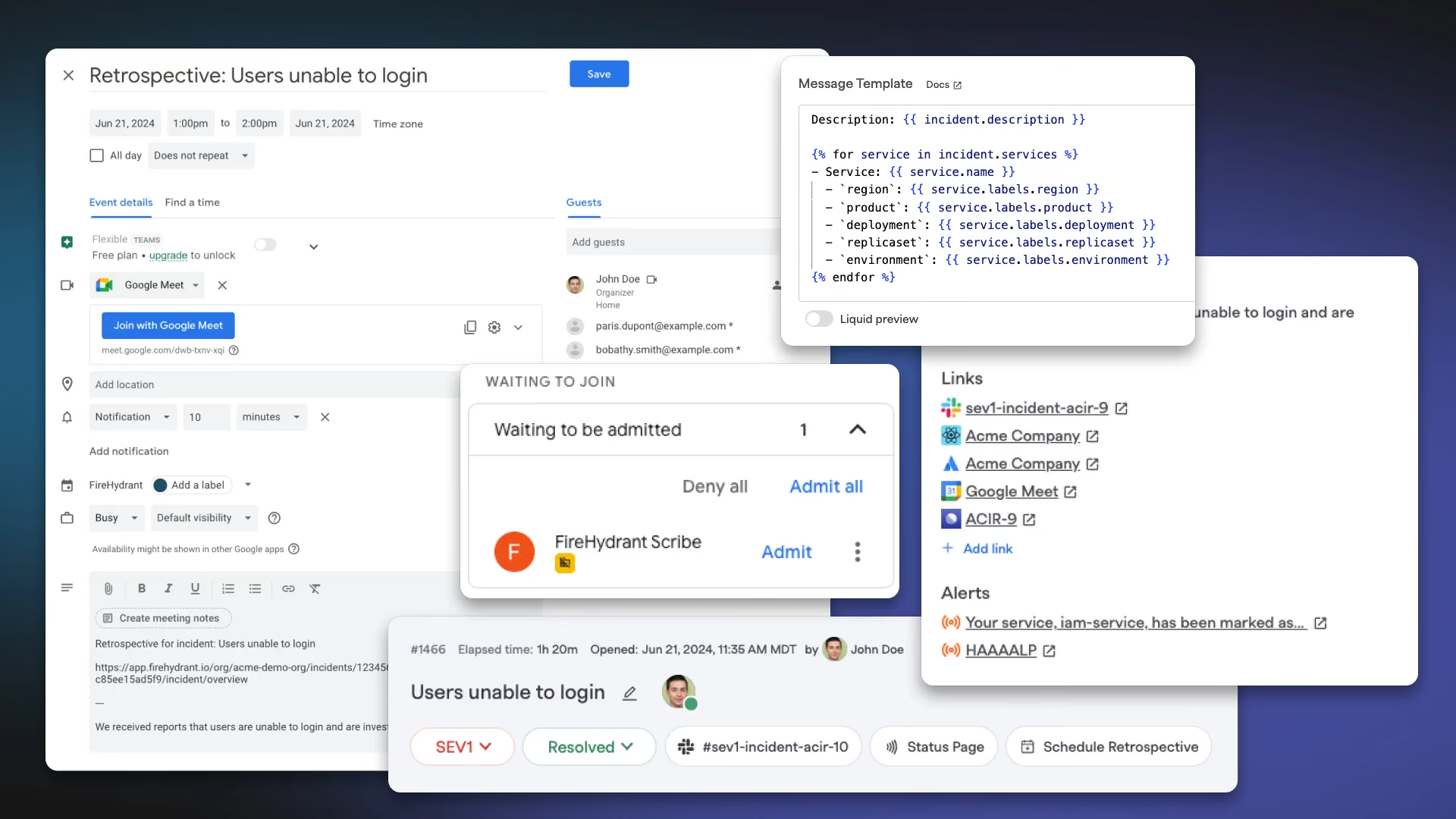
FireHydrant targets enterprises where the hard part is not the incident but the accountability around it.
Strengths:
Service catalog mapping with ownership, dependencies, and tiering
Compliance-friendly audit trails and structured retrospectives
Handles incident response across multiple business units with separate policies
Strong at answering "who owns this service" during an incident, which is often the real 10-minute delay
Limitations:
Setup effort is significant — the service catalog only pays off if it is kept current
Overkill for teams under ~50 engineers
Less focused on alert-level noise reduction than orchestration platforms
Verdict: If your blockers are regulatory or organisational rather than technical, FireHydrant is likely a better fit than a correlation-first platform.
5. Better Stack — monitoring, logs and on-call in one UI
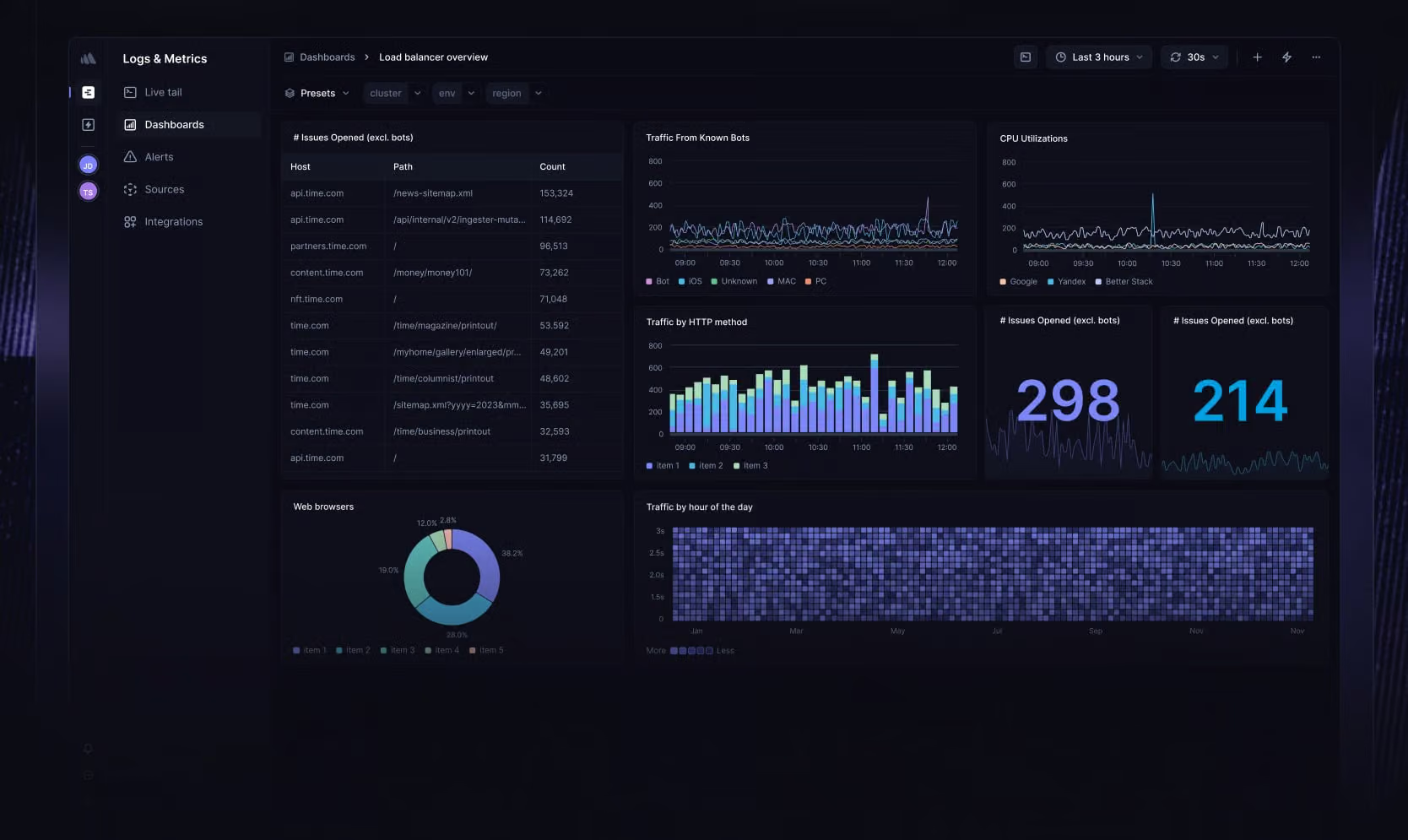
Better Stack bundles uptime monitoring, log management, on-call alerting and status pages into a single interface.
Strengths:
Free tier makes it accessible for early-stage teams testing their first on-call setup
Logs sit next to alerts, which shortens root-cause investigation
Straightforward scheduling without enterprise configuration overhead
Limitations:
No advanced RBAC, complex escalation trees, or AI-driven orchestration
Pricing climbs with monitor count and log volume — surprises fast-scaling teams
No real alert correlation or enrichment
Verdict: A reasonable PagerDuty replacement under about 20 engineers where the priority is one tool and one bill. Revisit once you are running more than a handful of services.
6. Grafana Cloud IRM & Grafana OnCall
Grafana OnCall started as open source and evolved into Grafana Cloud IRM for managed users.
Strengths:
Notifications carry graphs, metrics and logs inline — the responder has context before opening a dashboard
Configured inside an observability platform you already run; no new vendor onboarding
Free tier available within Grafana Cloud
Important notes:
The self-hosted OSS version entered maintenance mode; new users are directed to Grafana Cloud IRM
Limited post-mortem automation — you will need another tool for structured retrospectives
Fewer capabilities around cross-tool coordination
Verdict: Right choice for small to mid teams already committed to Grafana who need on-call, not incident management.
7. Squadcast — budget-conscious on-call
Squadcast targets teams that want PagerDuty-shaped functionality at a lower per-seat cost.
Strengths: Solid on-call scheduling and escalation, SLO tracking, generally cheaper per user than PagerDuty, reasonable free tier for small teams.
Limitations: Lighter automation and correlation than orchestration platforms; smaller integration catalog than PagerDuty; enterprise governance features are thinner.
Verdict: A sensible like-for-like PagerDuty swap when cost is the primary driver and your process is already working.
8. xMatters — enterprise routing and ITSM integration
xMatters is built for large enterprises with established incident management functions and heavy ITSM investment.
Strengths: Sophisticated routing logic, strong ServiceNow and ITSM integration, mature multi-channel delivery, good fit for organisations where incident management is a formal function with named owners.
Limitations: Configuration complexity comparable to PagerDuty; UI feels dated next to newer entrants; some users report limited transparency around planned maintenance.
Verdict: Consider when your requirements are written by a governance team rather than an SRE team. If that's your situation, see our enterprise incident management software guide for what to evaluate beyond this list.
9. Splunk On-Call
Splunk On-Call (formerly VictorOps) makes most sense inside an existing Splunk observability footprint.
Strengths: Native connection to Splunk data, timeline-driven incident view, established alert routing and escalation.
Limitations: Value drops sharply outside the Splunk ecosystem; product investment has been less visible than newer competitors; licensing is entangled with broader Splunk commercials.
Verdict: Reasonable if you are already a Splunk shop. Rarely the right standalone choice.
10. AlertOps
AlertOps focuses on complex enterprise routing and escalation rules.
Strengths: Highly configurable routing, major-incident workflows, strong ITSM ties.
Limitations: No free plan; unlimited phone and SMS alerts sit behind higher tiers; entry tier is noticeably thinner than competitors at similar price points; shorter data retention on lower plans.
Verdict: Niche fit for organisations whose routing rules genuinely cannot be expressed in simpler tools.
11. Opsgenie — plan your exit, not your adoption
Opsgenie is on this list only because so many teams are still on it. Atlassian is winding the product down and new adoption no longer makes sense at any price.
If you are running Opsgenie today, treat this as a scheduled migration rather than an evaluation: inventory your schedules, escalation policies and integrations now, then run a parallel pilot well before the deadline. Our Opsgenie migration guide covers the export-and-rebuild sequence.
12. Open-source options: GoAlert, Keep and Grafana OnCall OSS
For teams with the engineering capacity to run their own alerting infrastructure, open-source options remain viable:
GoAlert — on-call scheduling and escalation, originally from Target. Solid scheduling, minimal incident management.
Keep — open-source AIOps and alert correlation layer that sits in front of your existing tools.
Grafana OnCall OSS — in maintenance mode; usable but not a long-term bet.
The honest trade-off: open source removes the per-seat line item and adds an on-call rotation for the on-call tool. Voice and SMS delivery still costs money (Twilio or equivalent), and someone has to own uptime for the system that wakes people up. For most teams under 200 engineers, the total cost is higher than it looks.
Choosing the best PagerDuty alternative for your team
There is no universal winner. Match the tool to the shape of your problem:
Your problem is alert noise — eighty pages for one failure. → ITOC360 or a correlation layer like Keep in front of your existing tools. Chat-first platforms will not fix this.
Your problem is coordination — the alert is clear, but nobody knows who is doing what. → ITOC360 or incident.io if you live in Slack, Rootly if you are on Teams or need enforced process.
Your problem is cost — the tool works, the invoice does not. → ITOC360 is the cheapest option.
Your problem is accountability — audits, ownership, multiple business units. → FireHydrant, or xMatters if ITSM integration dominates.
Your problem is a deadline — you are on Opsgenie. → Shortlist ITOC360, and Rootly, and start the parallel pilot now rather than near the cutoff.
Frequently asked questions
Is there a free PagerDuty alternative?
Yes. ITOC360 offer free tiers suitable for small teams, and ITOC360 has a limited free plan. Open-source options like GoAlert and Keep are free to run but carry infrastructure and maintenance cost. Free tiers generally cap monitors, users, or notification volume.
What is replacing Opsgenie?
Atlassian is winding Opsgenie down, and there is no direct successor within Atlassian. Teams migrating typically move to ITOC360 or PagerDuty depending on whether their priority is alert correlation, chat-native coordination, process automation or like-for-like paging.
What is the difference between on-call software and incident management software?
On-call software handles scheduling, escalation and notification — getting the right person woken up. Incident management software covers the full lifecycle from detection through triage, coordination, resolution and review. Most teams need both; some platforms bundle them. We cover the distinction in incident management software.
How long does migrating from PagerDuty take?
Plan two to six weeks for a mid-sized team: one week to inventory and export, two weeks of parallel running, and a week for cutover and training. The variable is escalation policy complexity, not the tool.