7 Best On-Call Scheduling Software in 2026
Short answer: Fit depends on whether you want one bill or two. ITOC360 bundles AI-driven alert correlation with on-call scheduling in a single flat plan, which works well for smaller or mid-sized teams that don't want to manage a separate AIOps line item. PagerDuty remains the benchmark for large enterprises needing proven scale, provided you can budget for its add-on stack (status pages, AIOps, Advance AI). incident.io is the strongest Slack-native option for teams that don't mind paying its $10–20/user/month on-call add-on separately. Teams still running the open-source Grafana OnCall need to plan a move — it was archived in March 2026.
Key Takeaways
Grafana OnCall's open-source edition was archived on March 24, 2026. Self-hosted SMS, phone, and push notifications stopped working that day. The only maintained path forward is the paid Grafana Cloud IRM product — a detail most 2026 "best on-call software" roundups still don't mention.
Atlassian is sunsetting Opsgenie on April 5, 2027. Teams on Opsgenie should start evaluating alternatives now rather than migrating under deadline pressure next year.
Per-seat pricing hides real cost. incident.io's on-call scheduling is a paid add-on ($10–20/user/month on top of the base plan), and PagerDuty's status pages and AIOps features are separate line items — see our full PagerDuty pricing breakdown for the math — not included at any tier below Enterprise.
Override auditability (who covered a shift, why, and when) is the feature most roundups skip, and it's the one that matters most when you're reconstructing what happened during a 3 a.m. incident.
Every tool in this list except one charges extra for AI features, on-call scheduling, or both. incident.io's AI-assisted response sits on its Pro tier ($45/user/month with on-call included); PagerDuty's AIOps correlation is a separate product starting near $699/month; Grafana's AI postmortem drafting requires the Cloud IRM platform fee on top of Grafana Cloud itself. ITOC360 is the only platform reviewed here that includes AI alert correlation, escalation, and on-call scheduling in one flat plan price, with no per-feature add-on.
ITOC360's AI correlation model groups alerts by label, resource, and timestamp similarity using machine learning — not static deduplication rules — which is the mechanism behind its published ~70% alert-noise reduction figure. That's a materially different approach from rule-based grouping (the method PagerDuty, Squadcast, and Spike all use at their current tiers).
Disclosure: ITOC360 is our product. It appears in this list, and we say so directly in its section heading, including where it's not the right fit. A comparison that always ends in our favour isn't a comparison.
This comparison is part of our on-call management resource hub — if you haven't yet defined what to require from a platform (rotation models, escalation enforcement, alert noise reduction), start there before shortlisting a vendor below.
How We Evaluated These Tools
Methodology: This comparison is built from each vendor's current public pricing pages, product documentation, changelogs, and independent buyer-side pricing breakdowns (Vendr, cost-tracking sites, and vendor-migration guides), cross-checked between August 27 and September 15, 2026.
We weighted five factors: scheduling and rotation depth, escalation and alert-routing logic, integration breadth, pricing transparency (including add-on costs, not just sticker price), and override/audit history — the feature most vendors underinvest in. Where a vendor's pricing model changed recently (Grafana, Opsgenie), we flag the change explicitly and date it, because that's exactly where most comparison content online is already stale.
Primary sources referenced in this comparison include each vendor's official pricing page, G2 and Capterra review aggregates, and the specific citations linked throughout each section below.
At a Glance: 2026 On-Call Scheduling Software Comparison
Tool | Best For | Starting Price | Free Plan | Standout Feature |
|---|---|---|---|---|
ITOC360 | AI-first correlation with zero add-ons — AI, escalation & on-call in one flat price | $12/mo (3 users, flat) | Free trial | Only tool where AI correlation + on-call are the same purchase, not two |
PagerDuty | Large enterprises needing proven scale | $21/user/mo (annual) | Up to 5 users | Widest integration ecosystem (750+) |
Incident.io | Slack/Teams-native incident coordination | $19/user/mo + $10–20 on-call add-on | Up to 5 users | Plain-language overrides, concurrent shifts |
Opsgenie / Jira Service Management | Atlassian-standardized teams (transitional only) | $20/agent/mo (JSM Standard) | Up to 3 agents | Native Jira ticket linking — but Opsgenie itself sunsets April 5, 2027 |
Grafana Cloud IRM (formerly Grafana OnCall) | Teams fully committed to the Grafana stack | $19/mo platform fee + $20/active user | 3 active IRM users free | Alerts and dashboards in one pane — no separate vendor |
Squadcast (part of SolarWinds) | SRE teams wanting gap detection + reliability workflows | $20/user/mo (Pro) | Up to 5 users | Coverage-gap detector flags uncovered windows in red |
Spike | Full audit trail on every shift and override | $7/user/mo | 14-day trial | Only tool with override comments + activity log + override history together |
1. ITOC360 — AI-First On-Call Platform (our platform)
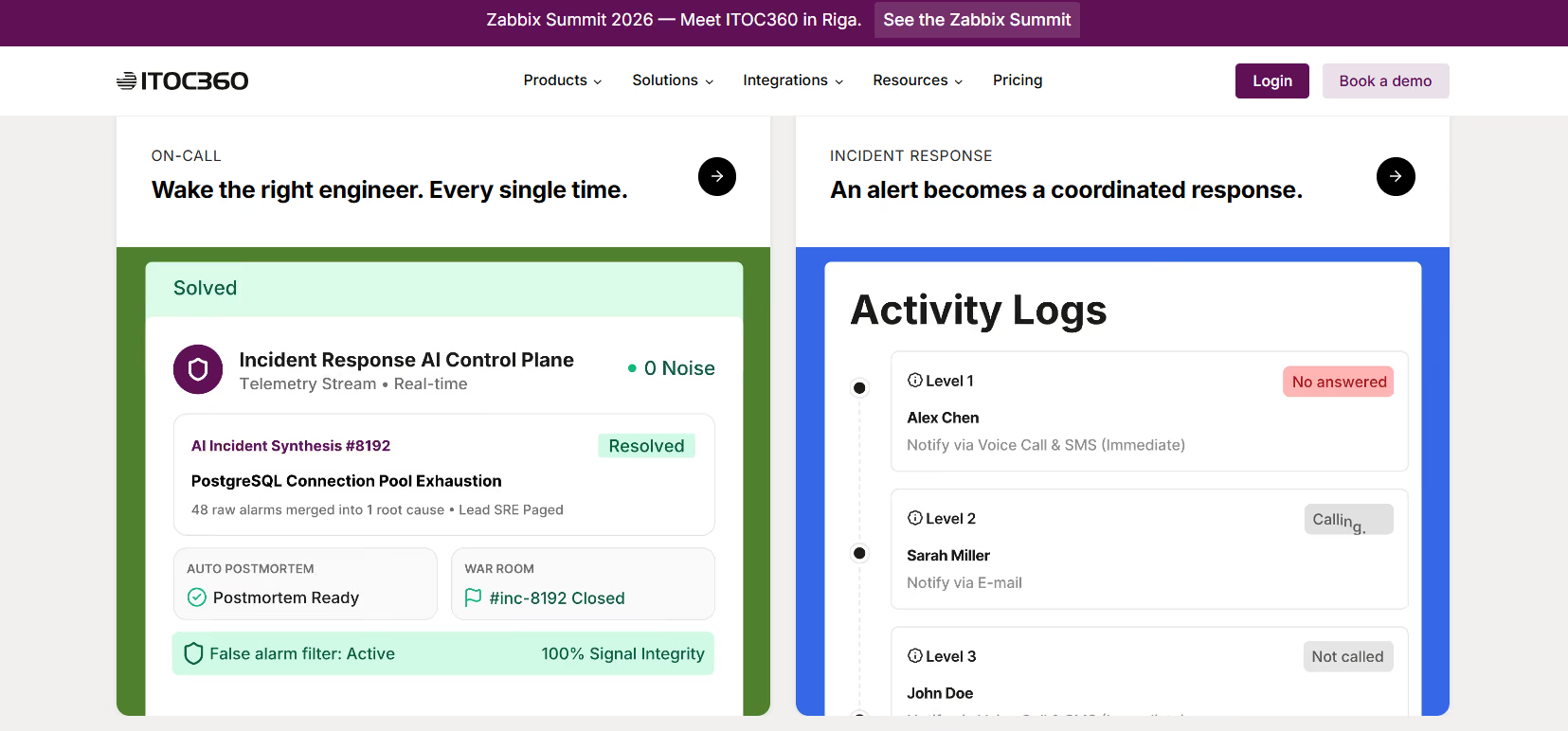
ITOC360 is built AI-first on-call management software from the alerting layer up, not retrofitted with an AI feature bolted onto a legacy paging tool. That distinction shows up in two concrete, checkable places: how alerts are processed before a human ever sees them, and how the product is priced.
Key on-call scheduling features:
Timezone-aware, holiday-aware rotation calendars with custom shift overrides and backup schedules
Multi-stage escalation policies configurable per service and per severity
Notification delivery across voice call, SMS, push, Slack, Microsoft Teams, email, and custom webhooks
Native integrations with 50+ monitoring and ticketing tools, including Datadog, Grafana, Prometheus, Zabbix, New Relic, AWS CloudWatch, and Jira
A guided migration path from Opsgenie or PagerDuty: schedules, escalation policies, integrations, and routing rules import automatically, with a named engineer supporting the team through the first week of live rotations, and the option to run both tools in parallel until the switch is trusted
Pricing: Foundation starts at $12/month for 3 users (24/7 on-call, alert routing, basic escalation, AI correlation included). Advanced starts at $18/month for 5 users and adds on-call scheduling, team rotation, and custom workflows — still with no AI or on-call add-on fee. Premium starts at $28/month for 20 users with enterprise-grade escalation and dedicated support. This is flat, per-plan pricing rather than the pure per-seat model most competitors use, and unlike every other tool reviewed here, the quoted price is the total price — there is no second bill for the AI features or the on-call module.
On G2, ITOC360 currently holds a 5.0/5 rating, with reviewers most often citing fast onboarding and clear escalation policies.
Pros | Cons |
|---|---|
AI correlation, escalation, and on-call scheduling included at every tier — no separate purchase | Smaller integration catalog than PagerDuty's 750+ |
Flat per-plan pricing instead of per-seat — cost doesn't multiply with headcount | Newer vendor, shorter public track record than PagerDuty or Grafana |
Guided, hands-on Opsgenie/PagerDuty migration with a named engineer through cutover | Third-party review volume (G2, Capterra) still smaller than category incumbents |
Notification delivery across voice, SMS, push, Slack, Teams, email, and webhooks on every tier | — |
Key point: ITOC360 is the only platform in this review where the advertised price and the real price are the same number — AI correlation and on-call scheduling are not billed as separate features.
Where ITOC360 is not the right fit: If your team runs a single monitoring tool, sees fewer than five alerts a month worth correlating, and just needs someone reliably woken up for the occasional page, the AI correlation layer has nothing to correlate — Spike or Squadcast will be cheaper and faster to set up for that specific case. Correlation earns its keep when there's genuine noise to reduce; below that threshold, it's platform you're paying for and not using.
Best fit teams: DevOps, SRE, and IT operations teams that are actively migrating off Opsgenie ahead of its 2027 shutdown or off PagerDuty due to per-seat and add-on cost creep, and any team that wants AI noise suppression included by default rather than gated behind a separate purchase.
On-call product overview · Incident response product overview · See ITOC360 pricing and start a free trial
2. PagerDuty — Best for Enterprise-Grade Reliability
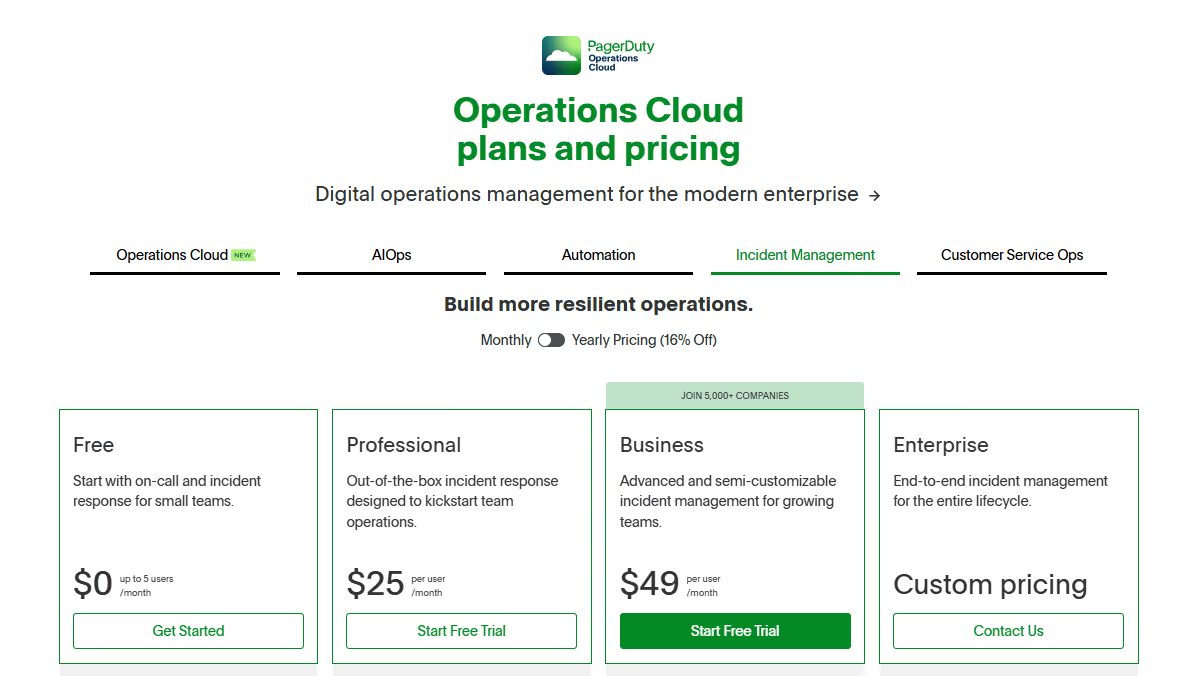
PagerDuty remains the most widely deployed incident alerting platform at large organizations, and its escalation engine is genuinely mature: conditional routing, event intelligence for noise reduction, and 750+ pre-built integrations.
Pricing (as of September 2026): Free plan covers up to 5 users with one schedule, one escalation policy, and 100 international phone/SMS notifications per month — no live phone call alerts on this tier. Professional is $21/user/month billed annually ($25 month-to-month). Business is $41/user/month annually ($49 month-to-month). Enterprise is custom-quoted.
The sticker price understates real cost. A public status page is a paid add-on on every tier except Enterprise, at roughly $89/month. AIOps (automated noise reduction and event correlation) starts around $699–799/month, licensed per accepted event. PagerDuty Advance, the generative-AI feature set for postmortems and summaries, runs about $415/month once each plan's one-time credit allocation is used up. A 20-person team on Professional pays $420/month before touching any of those add-ons — see our detailed PagerDuty pricing breakdown for the full worked math, since the number most vendors quote you doesn't include them.
PagerDuty holds a 4.5/5 rating on G2, though several reviewers cite pricing and interface complexity as recurring complaints.
Pros | Cons |
|---|---|
Widest integration ecosystem in the category (750+) | AI correlation (AIOps) is a separate product, not a plan feature |
Mature, proven escalation engine at enterprise scale | Status pages, AIOps, and Advance AI all bill separately |
Free tier usable for a genuinely small team's first schedule | Free tier has no phone call alerts, only 100 SMS/notifications per month |
Key point: PagerDuty's per-seat price looks competitive until AIOps enters the conversation — at that point a 20-person team's real monthly bill roughly doubles.
Best fit teams: Enterprises managing complex, multi-service infrastructure that need proven reliability at scale and have the budget for the add-on stack.
3. incident.io — Best for Slack- and Teams-Native Coordination
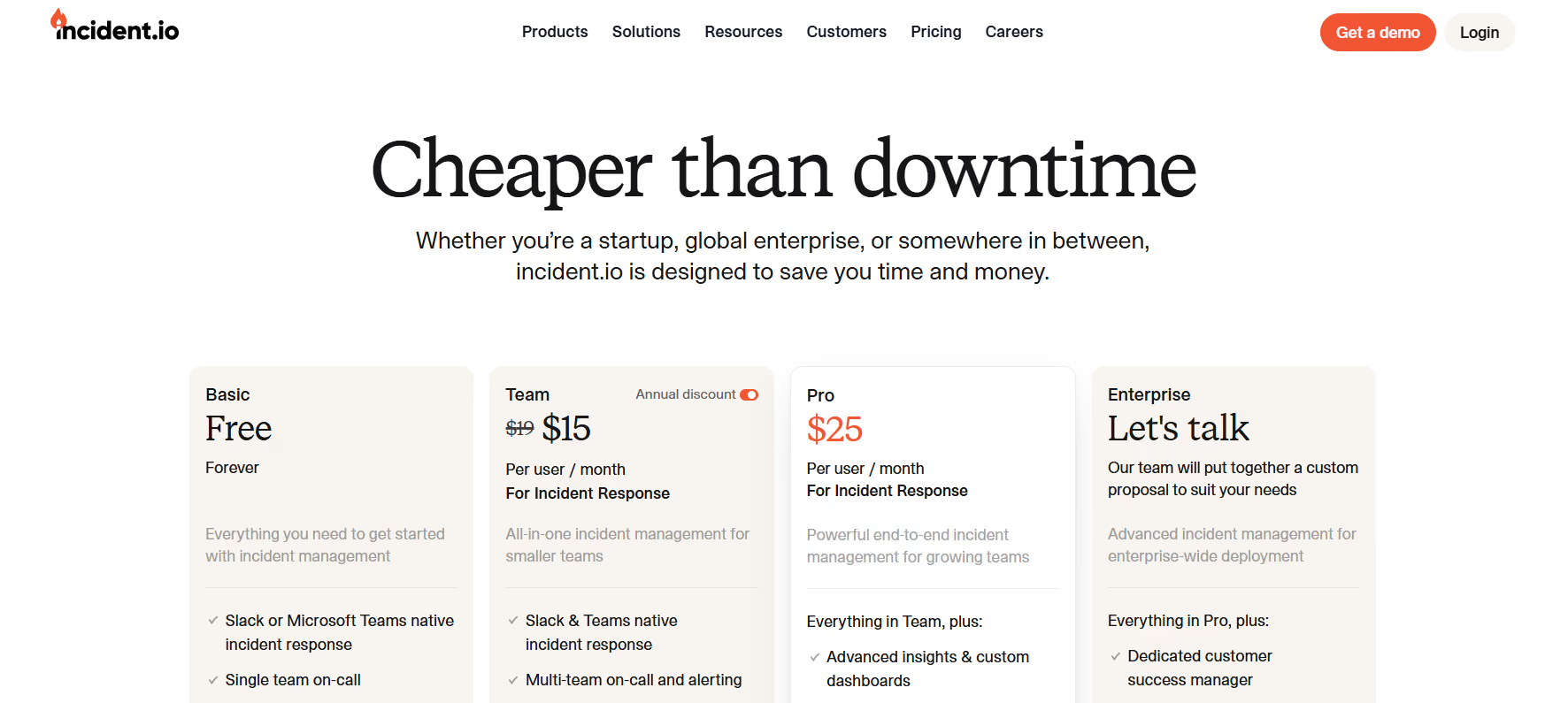
incident.io built its reputation by making incident declaration and coordination feel native to Slack rather than a separate dashboard. Responders can declare, triage, and resolve incidents without leaving the channel they already work in — covering roughly the same ground as the five-phase incident response lifecycle — and the on-call module includes two genuinely useful override mechanics: plain-language input ("Jordan today from 11 pm to tomorrow 7 am") and concurrent shifts, which let a shadow engineer sit on the same rotation slot as the primary during onboarding.
Pricing (verified September 2026): Free plan covers up to 5 users with a single-team on-call schedule included. Team plan is $19/user/month ($15 annual) for incident response — on-call scheduling is a separate add-on at $12/user/month ($10 annual), bringing the real cost to roughly $29–31/user/month. Pro is $25/user/month ($21 annual) with on-call adding $20/user/month, for a real cost near $45/user/month. Enterprise is custom.
incident.io carries the highest third-party rating in this list at 4.8/5 on G2, with reviewers consistently praising its Slack-native workflow.
Trade-offs: No override history or on-call activity log on the schedule itself — you get the override, but not a persistent record of why it happened after the fact. On-call is priced separately from the core plan on every paid tier, which is easy to miss when comparing headline prices against competitors that bundle it.
Pros | Cons |
|---|---|
Plain-language override input and concurrent shifts for onboarding | On-call scheduling is a paid add-on on every tier, including Team |
Genuinely native Slack and Teams incident coordination | No override history or on-call activity log |
Fast onboarding, low operational overhead | AI-assisted response only ships on the Pro tier |
Key point: incident.io's headline price is an incident-response price, not an on-call price — budget for both line items from the start.
Best fit teams: Slack-first or Teams-first engineering organizations that want fast, lightweight incident coordination and are comfortable budgeting for on-call as a distinct line item.
4. Opsgenie / Jira Service Management — Transitional Only, Sunsetting April 2027
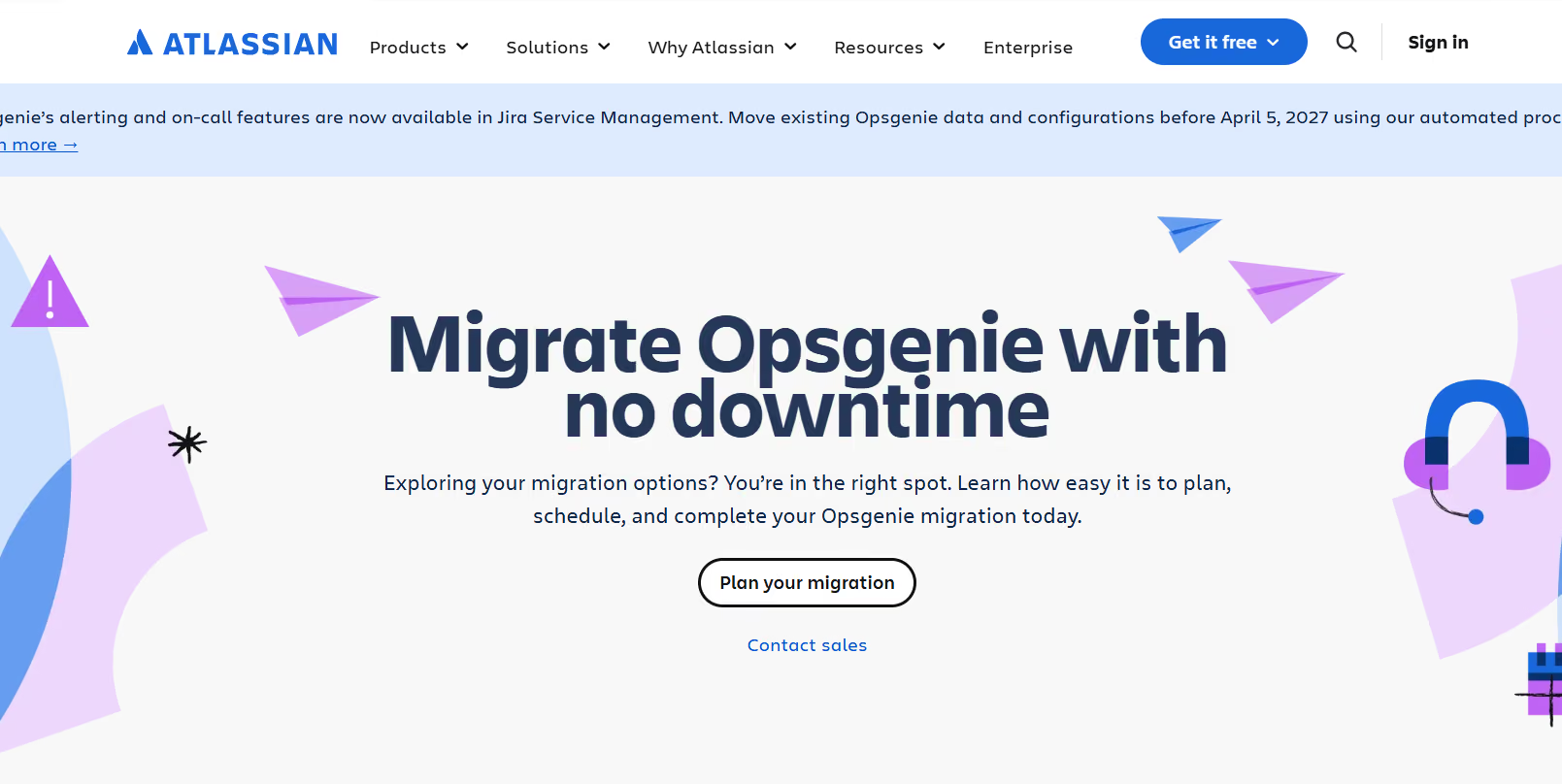
Opsgenie needs a different framing in 2026 than in prior years' roundups: Atlassian has confirmed it is discontinuing Opsgenie, with a shutdown date of April 5, 2027, and is consolidating on-call and alerting functionality into Jira Service Management (JSM) going forward. If your team is currently on Opsgenie, this is not a "maybe evaluate alternatives someday" situation — it's an active migration you should be planning now, since the deadline will arrive faster than it feels like it will.
What still works today: Opsgenie's alert routing and escalation policies remain functional, and its integration with Jira Service Management and the broader Atlassian ecosystem is still its core strength for teams standardized on Jira and Confluence.
JSM pricing: Free plan covers up to 3 agents with basic on-call. Standard is $20/agent/month. Premium is $51.42/agent/month. Enterprise is custom.
Opsgenie's G2 rating sits at 4.2/5 — solid, though the lowest of the actively-maintained tools in this comparison, and a number worth weighing against its confirmed 2027 sunset.
Best fit teams: Only teams in active transition. If you're evaluating on-call software fresh in 2026, starting on a platform with a published end-of-life date isn't a reasonable long-term choice — treat this entry as a migration-planning trigger, not a recommendation.
Key point: Opsgenie isn't a 2026 buying decision anymore — it's a 2026 migration-planning decision. Evaluate the other six tools in this list as its replacement, not as its competitor.
5. Grafana Cloud IRM (formerly Grafana OnCall) — Best for Teams Fully Committed to Grafana
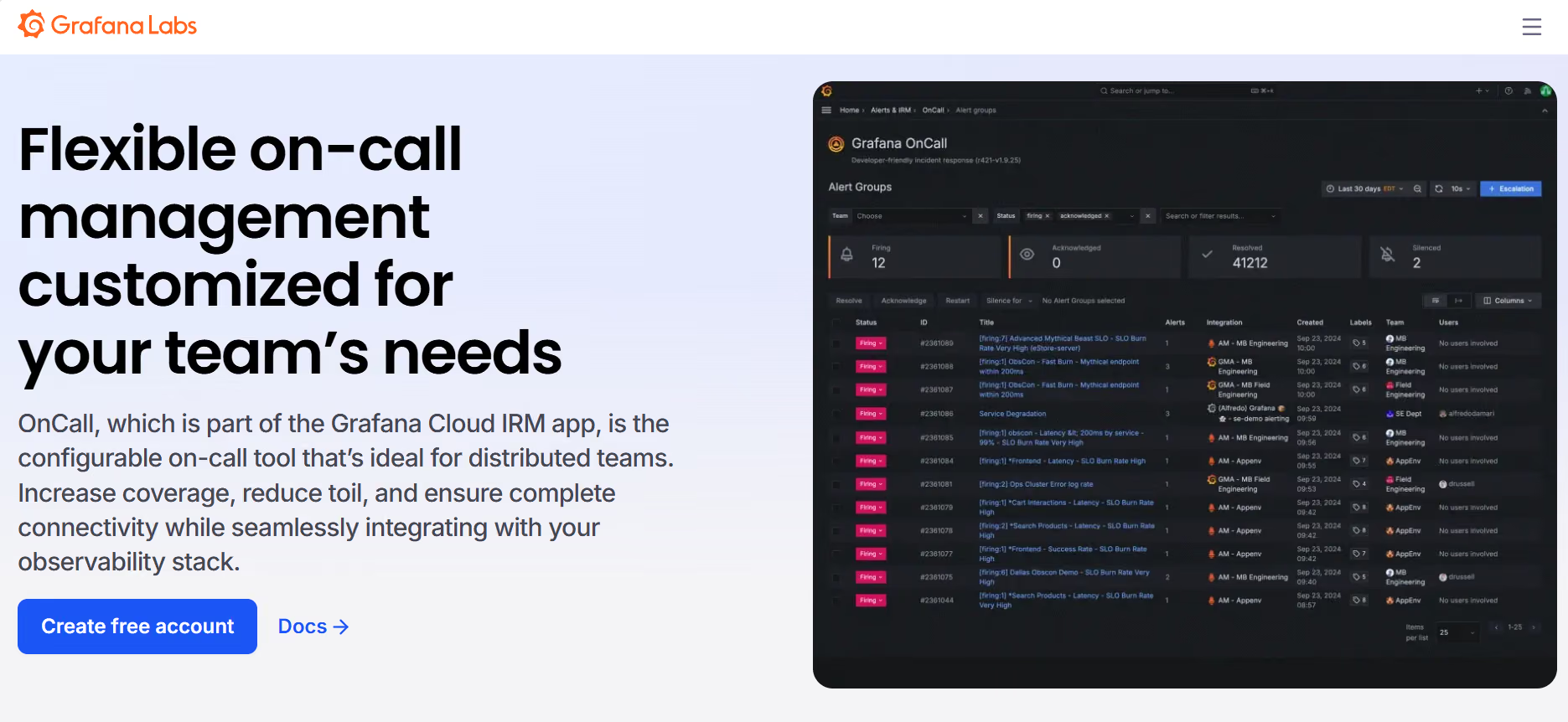
This is the entry where most 2026 "best on-call" content is already out of date, so it's worth being precise. Grafana OnCall's open-source edition was archived on March 24, 2026. It no longer receives feature development — only critical bug fixes and CVEs rated 7.0+ are patched — and SMS, phone, and push notifications delivered through Cloud Connection stopped working entirely on that date. If your team is still running self-hosted Grafana OnCall OSS, your notification pipeline for anything beyond Slack is already broken or will break the next time you touch your Cloud Connection config.
The maintained successor is Grafana Cloud IRM, bundled into Grafana Cloud rather than sold as a standalone open-source tool. It still covers the fundamentals: on-call rotations with overrides, configurable escalation-timeout policies, Slack-native workflows, and webhook-based alert routing from Prometheus, Datadog, or CloudWatch. It also adds incident status tracking, timelines, severity levels, AI-generated postmortem drafts, and a public API with MCP server support for AI-agent workflows — none of which existed in the archived OSS version.
Pricing (verified September 2026): Free for up to 3 active IRM users. On the Pro tier, it's a $19/month platform fee that includes 3 active IRM users, then $20/month for each additional active IRM user — so a 20-person on-call rotation runs roughly $359/month on top of whatever else you're paying for Grafana Cloud. Enterprise requires a $25,000/year minimum commitment across the full Grafana Cloud platform; IRM isn't purchasable standalone at that tier.
Grafana OnCall/Cloud IRM doesn't yet have a large standalone G2 review base; aggregated review-platform data puts it around 4.5/5, but treat this figure as thinner than the others here.
Trade-offs: You're now buying a managed observability platform to get on-call scheduling, not a standalone alerting tool. If your monitoring stack isn't already Grafana-centric, this is a second vendor bill for a product you're using narrowly.
Key point: If you're still running the archived OSS version, this isn't an upgrade decision — it's an unpatched-notification-pipeline problem you already have.
Best fit teams: Organizations already paying for Grafana Cloud who want alert-to-on-call handoff without leaving the Grafana dashboard context. Teams evaluating on-call software from scratch, without an existing Grafana Cloud commitment, will find the platform fee and per-user IRM cost hard to justify against dedicated alternatives.
6. Squadcast (part of SolarWinds) — Best for SRE Reliability Workflows
Squadcast was acquired by SolarWinds and now sits inside that broader monitoring and IT management portfolio. Its standout on-call feature is a coverage-gap detector: a "View Gaps" toggle that highlights uncovered rotation windows in red directly on the schedule calendar, both while you're building a schedule and after it goes live — genuinely useful, since most tools only surface a coverage gap after an alert goes unanswered.
Key features: Round-robin rotation distribution, standard daily/weekly/custom rotation layers, built-in runbooks, status pages, and reliability-focused reporting that connects incident patterns back to SLO tracking and incident management KPIs.
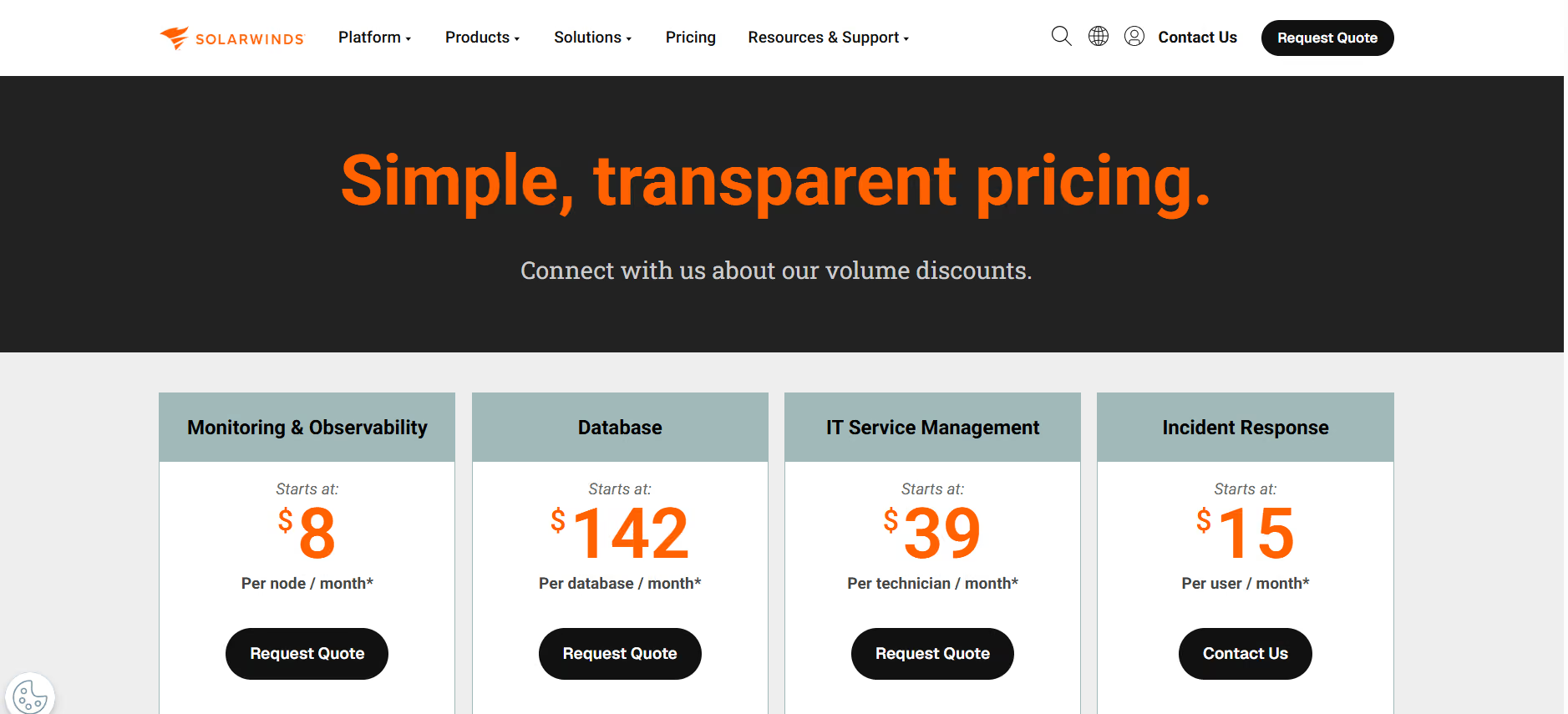
Pricing: Free plan covers up to 5 users. Pro is $20/user/month. Premium is $29/user/month. Enterprise is custom. On-call scheduling is included in the base plan — no separate add-on, unlike incident.io.
Squadcast (now under the SolarWinds IT Incident Response listing) holds a 4.4/5 rating on G2.
Trade-offs: No override history, override comments, or on-call activity log — you can see the gap, but not the context behind a schedule change after the fact. Teams already running SolarWinds monitoring get the most value from keeping both under one vendor.
Key point: Squadcast catches a coverage gap before it becomes an incident — but it can't tell you why a gap happened after the fact, which is where Spike (below) is stronger.
Best fit teams: SRE and platform teams that want on-call scheduling connected to broader reliability practices, and organizations already invested in the SolarWinds ecosystem.
7. Spike — Best for Complete Override and Shift Audit Trail
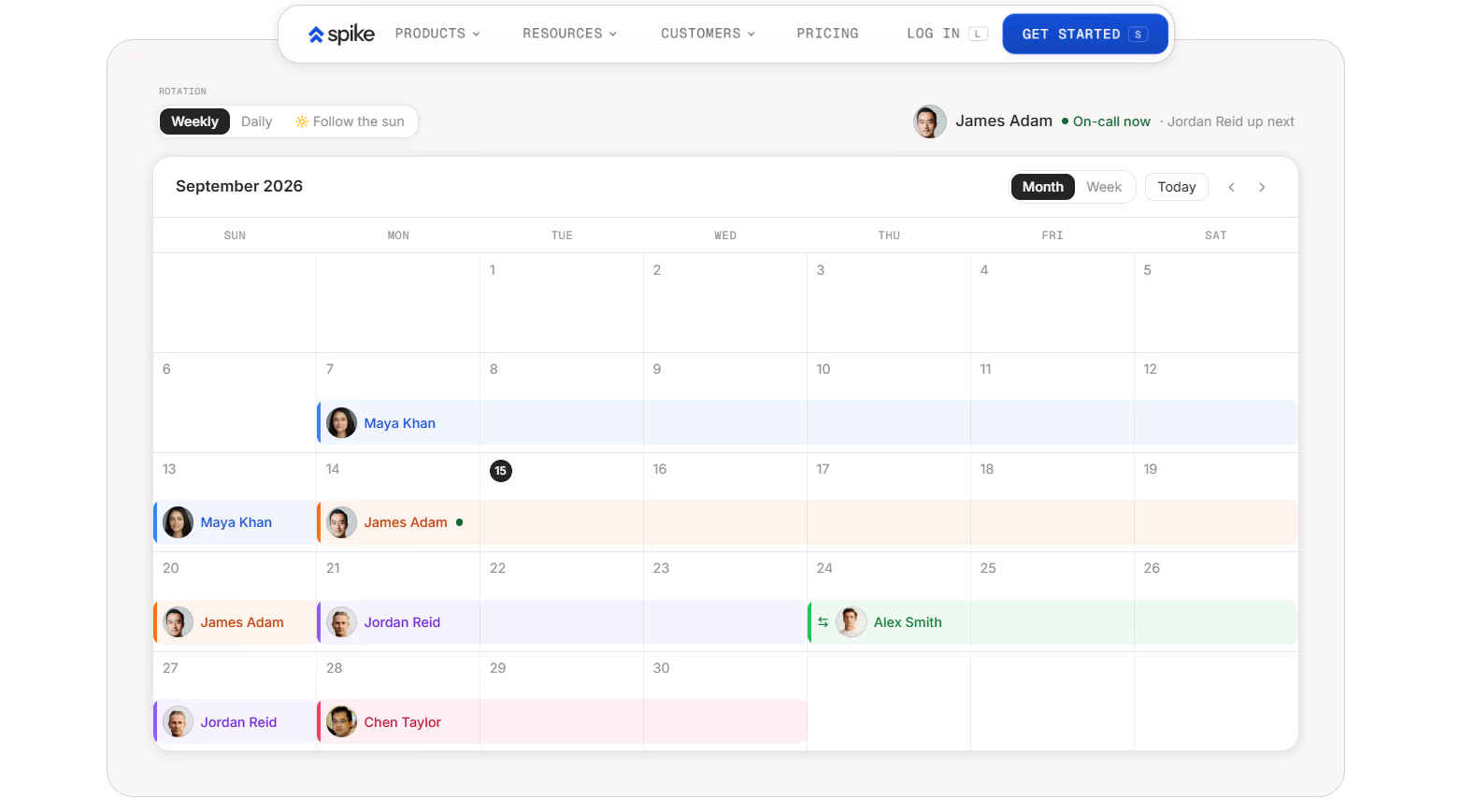
Spike is the one platform in this list that treats the record of what happened on-call as seriously as the schedule itself. It's the only tool evaluated here that combines override comments (context for why a shift changed, visible to whoever's picking it up), a persistent on-call activity log, and a separate override history — together, not as a single partial feature. That kind of record is exactly what feeds measuring on-call team performance after the fact.
Key features: Scheduled layers with preset start/end dates for automatic holiday coverage, "Gaps" that let an empty rotation slot auto-fallback to the next layer, admin-managed Out of Office visibility for the whole team, and per-schedule Slack/Teams notification routing.
Pricing: Starter is $7/user/month. Business is $14/user/month. Enterprise is custom.
Trade-offs: No automatic coverage-gap detection on the calendar (unlike Squadcast) and no plain-language override input (unlike incident.io) — overrides require selecting a date and user from a form rather than typing a sentence.
Key point: Spike is strongest at answering "who covered this shift and why" after the fact — it's weaker at flagging an empty shift before it happens.
Best fit teams: Teams that need to reconstruct exactly who covered what and why during a postmortem, and smaller teams for whom Spike's lower per-seat price is a meaningful factor.
2026 Context You Can't Skip: Two Forced Migrations Are Reshaping This Market
Two vendor-side decisions are doing more to move the on-call software market in 2026 than any new feature launch, and both change who "the best tool" is depending on what you're currently running.
If you're on Opsgenie: the April 5, 2027 sunset date means this is a 2026 planning problem, not a 2027 one. Migrations that involve escalation policy rebuilds, schedule imports, and team retraining routinely take longer than teams expect — starting the evaluation now gives you room to run both tools in parallel before cutting over.
If you're on self-hosted Grafana OnCall: the OSS archive already happened. Any notification channel beyond Slack that depended on Cloud Connection is degraded or dead as of March 24, 2026. This isn't a future risk to plan around — check your notification delivery logs today.
Sticker Price vs. Real Price: What On-Call + AI Actually Costs
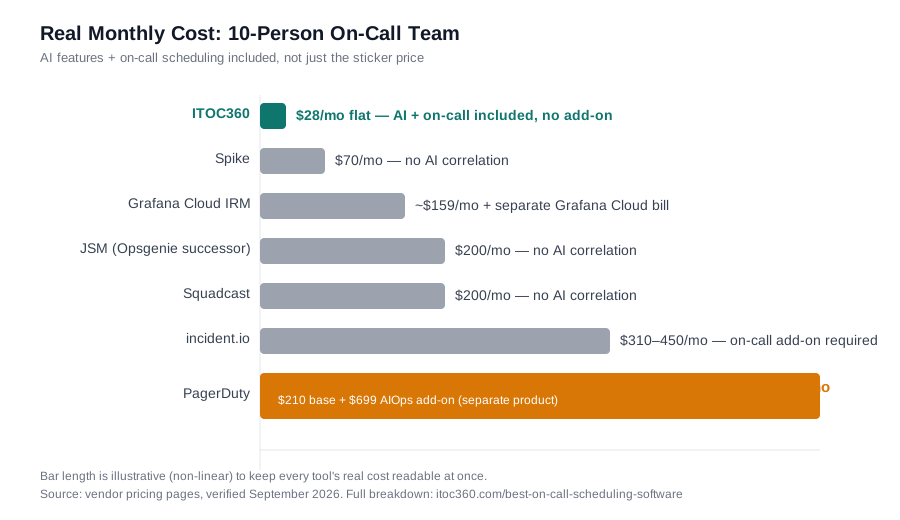
Headline pricing and total pricing diverge sharply once AI correlation and on-call scheduling are both required — which is the realistic requirement for any team evaluating this category in 2026. Here's the same 10-person team, priced with AI features and on-call scheduling included, across every tool in this list:
Tool | Advertised starting price | On-call add-on | AI features add-on | Real total (10 users) |
|---|---|---|---|---|
ITOC360 | $18/mo flat (Advanced, 5 users) | Included | Included | ~$18–28/mo flat (no per-user multiplication) |
PagerDuty | $21/user/mo | Included in Professional | AIOps: +$699/mo separate product | $210/mo + $699/mo = $909/mo |
incident.io | $19/user/mo | +$12/user/mo | Included on Pro only (+$20/user/mo) | $310–450/mo depending on tier |
JSM (Opsgenie successor) | $20/agent/mo | Included | Not native | $200/mo (no AI correlation) |
Grafana Cloud IRM | $19/mo platform fee | +$20/active user | Included on Pro | $19 + $140 (7 billable users) = ~$159/mo, plus Grafana Cloud base bill |
Squadcast | $20/user/mo | Included | Not native | $200/mo (no AI correlation) |
Spike | $7/user/mo | Included | Not native | $70/mo (no AI correlation) |
Read this table carefully: the tools with the lowest per-seat sticker price (Spike, Squadcast) don't offer AI alert correlation at any tier, so they're cheaper because they're solving a narrower problem. The tools that do offer AI correlation (PagerDuty, incident.io, Grafana) all charge for it separately from the base plan. ITOC360 is the only row where "real total" isn't a multiplication of per-user add-ons — it's the plan price, because AI correlation and on-call scheduling are the same purchase, not two.
Feature Comparison Matrix
Feature | ITOC360 | PagerDuty | JSM/Opsgenie | Grafana Cloud IRM | Squadcast | Spike | |
|---|---|---|---|---|---|---|---|
AI alert correlation | ✓ | Add-on | Partial (Pro tier) | ✗ | ✗ (Pro tier only) | ✗ | ✗ |
AI + on-call in one price, no add-on | ✓ | ✗ | ✗ | — | ✗ | — | — |
On-call included in base plan | ✓ | ✓ | Add-on | ✓ | ✓ | ✓ | ✓ |
Coverage-gap detection | — | — | — | — | — | ✓ | — |
Override history / activity log | — | — | — | — | — | — | ✓ |
Voice call escalation | ✓ | ✓ | ✓ | ✓ | ✓ | ✓ | ✓ |
Native Slack + Teams | ✓ | ✓ | ✓ | ◐ | ✓ | ◐ | ✓ |
Free tier | Trial | Up to 5 users | Up to 5 users | Up to 3 agents | Up to 3 IRM users | Up to 5 users | 14-day trial |
Guided migration support | ✓ | — | — | — | — | — | — |
✓ = supported, ◐ = partial support, — = not offered at time of writing
How to Choose the Right On-Call Scheduling Software
Map your current tool's exit risk first. If you're on Opsgenie or self-hosted Grafana OnCall, your timeline is already set by the vendor — evaluate against that deadline before anything else.
Price the real cost, not the sticker. Add on-call add-ons, status pages, and AI-feature add-ons into your comparison before ruling a tool in or out on headline price alone.
Decide how much you need alert noise reduced before a human sees it. Teams drowning in duplicate alerts get more value from AI correlation than from a slightly better calendar UI.
Check whether you need an audit trail or just a working schedule. If postmortems regularly stall on "who was actually covering this," prioritize override history and activity logs over other features.
Pilot with real alerts, not a demo environment. Measure setup time, alert latency, and how the escalation policy behaves the first time someone doesn't acknowledge in the configured window.
For a deeper walkthrough of building the escalation logic itself once you've picked a tool, see our escalation policy guide and on-call schedule template.
Choosing the Right On-Call Tool by Problem, Not Feature List
Feature checklists tend to look identical across vendors. Matching the tool to the actual shape of your problem is faster:
Your problem is alert noise — a dozen pages for one underlying failure. → ITOC360's correlation layer is built for exactly this; read what we learned processing a million alerts about where noise actually comes from. Squadcast and Spike route alerts but don't group them.
Your problem is cost creep as the team grows. → ITOC360's flat per-plan pricing or Spike's low per-seat rate; avoid incident.io's on-call add-on and PagerDuty's AIOps add-on, both of which scale per user on top of the base plan.
Your problem is auditability — reconstructing who covered what during a postmortem. → Spike, for its combination of override comments, activity log, and override history; pair it with a real blameless postmortem process so the record actually gets used.
Your problem is catching gaps before they become incidents. → Squadcast's View Gaps calendar toggle.
Your problem is a deadline — you're on Opsgenie or self-hosted Grafana OnCall. → Shortlist ITOC360 or incident.io for Opsgenie migrations; shortlist Grafana Cloud IRM only if you're already committed to Grafana Cloud, otherwise treat the OSS archive as a reason to leave the Grafana ecosystem for on-call specifically, not a reason to stay.
Migration Checklist
If you're moving off Opsgenie, PagerDuty, or self-hosted Grafana OnCall, the tool matters less than the sequence:
Export your current schedules, escalation policies, and integration list first. This alone tells you how big the move actually is before you've committed to anything.
Run a parallel pilot with real alert volume for at least two weeks — not a sandbox demo with test alerts.
Measure MTTA and time-to-acknowledge against your own baseline, not a vendor's case-study numbers.
Test the mobile app and push notifications during actual off-hours, on the actual phones your engineers carry.
Confirm what happens to historical incident data in your current tool, and whether it exports before you cancel.
Ask the engineers who actually carry the pager, not just the person signing the contract — their answer after the pilot decides it.
Frequently asked questions
What is the best on-call scheduling software in 2026?
The best choice depends on what you're optimizing for. ITOC360 leads on AI-driven alert correlation and pricing transparency, especially for teams migrating off Opsgenie or PagerDuty. PagerDuty remains strongest for large enterprises needing proven scale. incident.io is the top choice for Slack-native coordination. Spike leads on override auditability, and Squadcast leads on coverage-gap detection.
Is Grafana OnCall still free?
No, not in its previous form. Grafana OnCall's open-source, self-hosted edition was archived on March 24, 2026, and no longer receives feature updates or full notification support. The maintained successor, Grafana Cloud IRM, offers a free tier for up to 3 active IRM users, then charges $20/month per additional active user on top of a $19/month platform fee.
What happens to Opsgenie users when it shuts down?
Atlassian has set April 5, 2027 as the Opsgenie sunset date, with functionality consolidating into Jira Service Management. Opsgenie customers should begin evaluating migration paths in 2026 rather than waiting, since schedule and escalation-policy migrations typically take longer than teams initially estimate.
Does on-call scheduling software include incident management, or are they separate?
It depends on the vendor. On-call scheduling narrowly covers rotations, overrides, and escalation policies. Most modern platforms — including ITOC360, PagerDuty, incident.io, and Squadcast — bundle on-call with broader incident management software (timelines, postmortems, status pages), though incident.io prices on-call as a separate add-on rather than including it in the base incident-response plan.
How much does on-call scheduling software typically cost?
Pricing ranges widely. Budget options like Spike start around $7/user/month. Mid-tier platforms like Squadcast and PagerDuty Professional run $20–25/user/month. incident.io's real cost with on-call included runs $29–45/user/month depending on tier. ITOC360 uses flat per-plan pricing starting at $12/month rather than pure per-seat pricing, which changes the math for smaller teams.
Which on-call software includes AI alert correlation without a separate add-on fee?
ITOC360 is the only platform in this comparison that includes AI-driven alert correlation, escalation, and on-call scheduling in one flat plan price at every tier. Competitors that offer AI correlation price it as a separate purchase: PagerDuty's AIOps starts near $699/month as a distinct product, incident.io's AI-assisted response is only available on its Pro tier at $45/user/month with on-call included, and Grafana Cloud IRM's AI postmortem drafting requires the Pro platform fee on top of an existing Grafana Cloud bill. Tools like Spike and Squadcast don't offer AI alert correlation at any tier.
What's the difference between on-call scheduling and escalation policies?
An on-call schedule defines who is responsible for responding during a given time window — the rotation itself. An escalation policy defines what happens if that person doesn't acknowledge an alert: who gets notified next, through which channel, and after how long. The two work together — the escalation policy references the live on-call schedule to know who to page at each tier. See our complete escalation policy guide for how to build one.
Related Reading
If your team is currently piecing together on-call coverage across a spreadsheet, a Slack channel, and a tool that's about to lose vendor support, our complete on-call management guide covers the fundamentals — rotation models, escalation requirements, and what to require from any platform — before you shortlist a vendor from this list.
Did We Miss a Tool or Get Something Wrong?
This list is rebuilt from public pricing pages and product documentation, not vendor claims alone — but pricing and feature sets change fast in this category. If you're using a tool that should be here, or you've spotted something that's out of date (a price change, a feature that moved tiers, a G2 rating that's shifted), let us know at contact us and we'll verify and update this page. Last content review: 18 September 2026.